UI/UX update
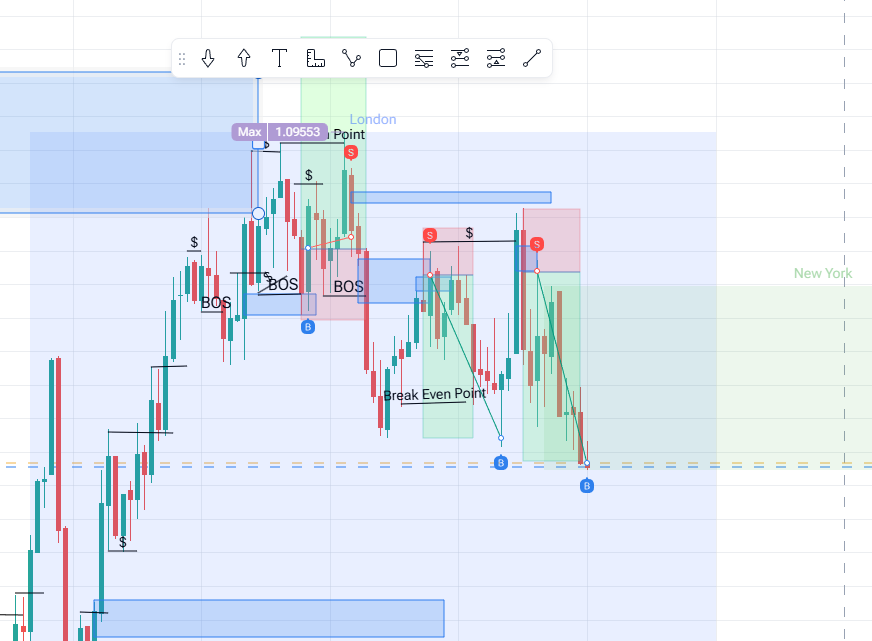
The horizontal line is inconsistent across different time frames. I pressed Shift and dragged to make a straight line, but in higher time frames, it’s slightly crooked.
Another simple and basic additional feature suggestion: We can press Control and drag the cursor to select multiple drawings so we can remove or move some of the drawings quickly.
- How does this impact your experience?
Comments1
Diana Zhoshko
Dec 22, 2025
Hi @User ,
Multi‑selection works overall: you need to hold Ctrl and click on the required drawing tools.
Regarding the crooked line, probably you mean another instrument.
Because the horizontal line remains perfectly straight when switching between timeframes, the issue is not consistently reproducible.