Tooltip keeps popping up
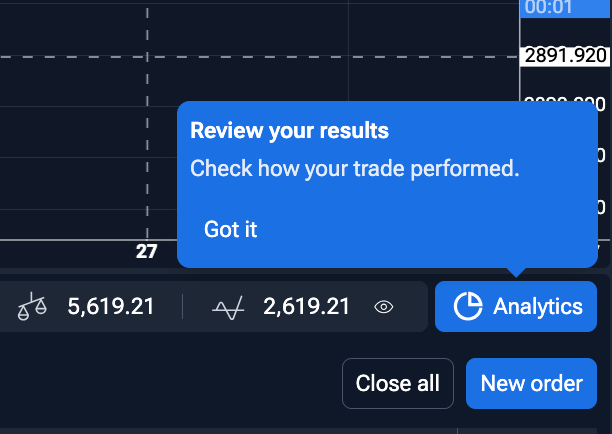
The "Review your results" tooltip keeps popping up repeatedly during my testing sessions, even after I've clicked "Got it." It’s very distracting and forces me to stop and close it constantly. Please make it stop appearing once dismissed so it doesn't interrupt the workflow.
Comments3
Apr 28
PinnedHi! Thanks for waiting.
We’ve already fixed this issue, so the "Review your results" tooltip should no longer keep reappearing after it’s been dismissed.
We appreciate you pointing it out - feedback like this helps us catch interruptions in the workflow quickly.
An Anonymous User
Apr 26
You can try this: when it pops up, just click on Analytics to open that page, then go back to the test window, and press F5. This worked for me; it no longer pops up. But I still hope they fix it completely.
Serhii S.
Apr 26
Hi @Katepol Sirithong ! Thank you for reporting this.
I’ve forwarded this issue with the "Review your results" tooltip to our developers for investigation. I'll let you know as soon as we fix it.
We appreciate you pointing this out.