Chart load screen does not transition to the chart screen while still on the chart load screen.
When I open a newly created project,
I cannot move to the chart screen and the icon of the chart loading screen remains displayed all the time.
Since the chart screen cannot be opened, nothing can be done and basic functions are not working.
We would like you to give high priority to investigating the cause and implementing countermeasures.
Below is a screenshot.
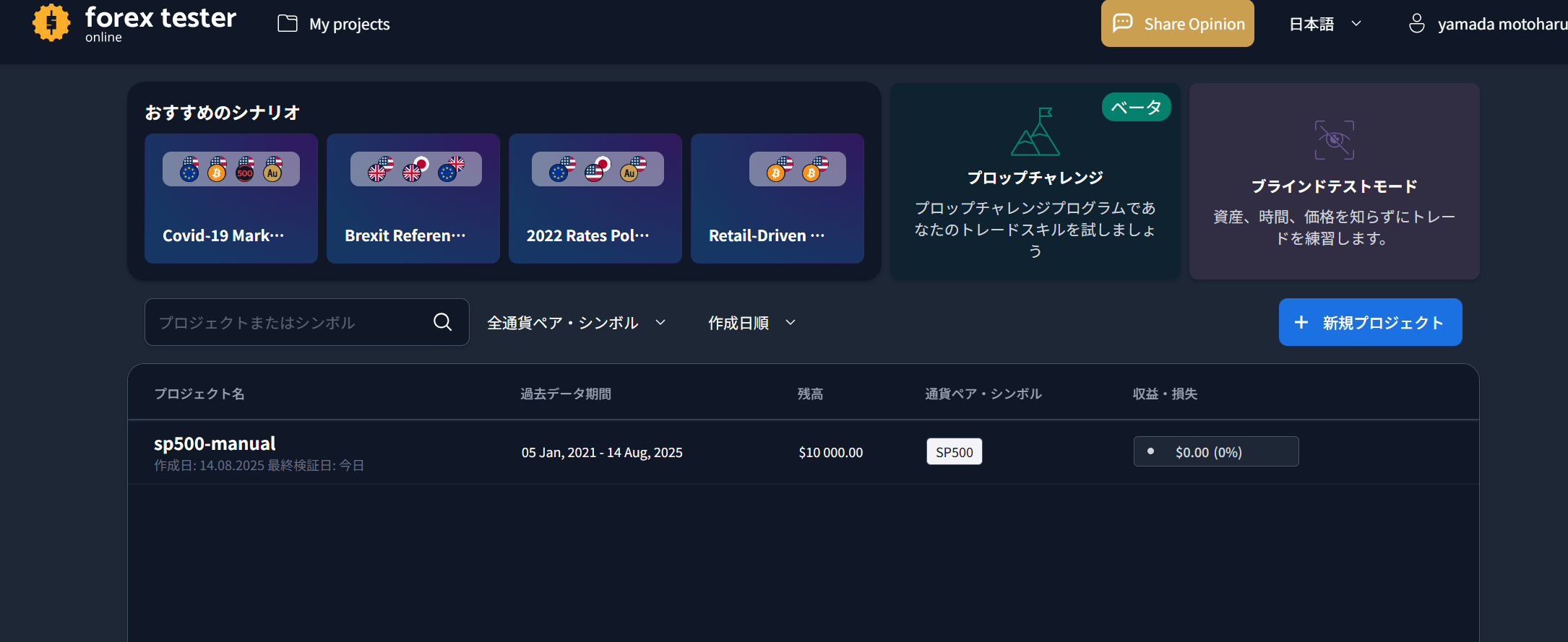
The following screen remains as shown below and does not transition.

- How does this impact your experience?
Comments3
Serhii S.
Aug 14, 2025
@User さん、こんにちは。
ご不便をおかけして申し訳ありません。この問題を調査しております。
お手数ですが、SPX500またはUSA500のシンボルで新しいプロジェクトを作成してみていただけますでしょうか?
それでも問題が解決しない場合は、再度ご連絡ください。よろしくお願いいたします。
An Anonymous User
Aug 14, 2025
@Serhii S.
調査いただきありがとうございます。
別の新規プロジェクトを作成すると無事にチャート表示できました。
原因究明をよろしくおねがいします。
Serhii S.
Aug 14, 2025
さん、ご連絡ありがとうございます。
原因について調査したところ、SP500のシンボルは利用可能なデータが少ないことが判明いたしました。最初のプロジェクトの開始日が2021年でしたが、その時点ではこのシンボルのデータが存在していませんでした。
新しいプロジェクトでは問題なく表示できたとのこと、安心いたしました。ご報告いただきありがとうございます。