The Template setup to be applied all projects
Hi team, first of all, thank you so much for and advanced trading back testing environment!
I’ve been using only a few days, but I’ve been loving every minutes of it!
Although I love using this platform, there are a few things I’d like to be changed.
1, Template setup
Everytime I open up a new project, I have to set up/open my template for indicators setup and chart settings (Grid, seesion time, candle settings…etc).
I’d like to be able to set the template and apply for any project you open up.
I’d still like to be able to change those settings within the project but I wish I could that once and start testing.
2, The replay timer
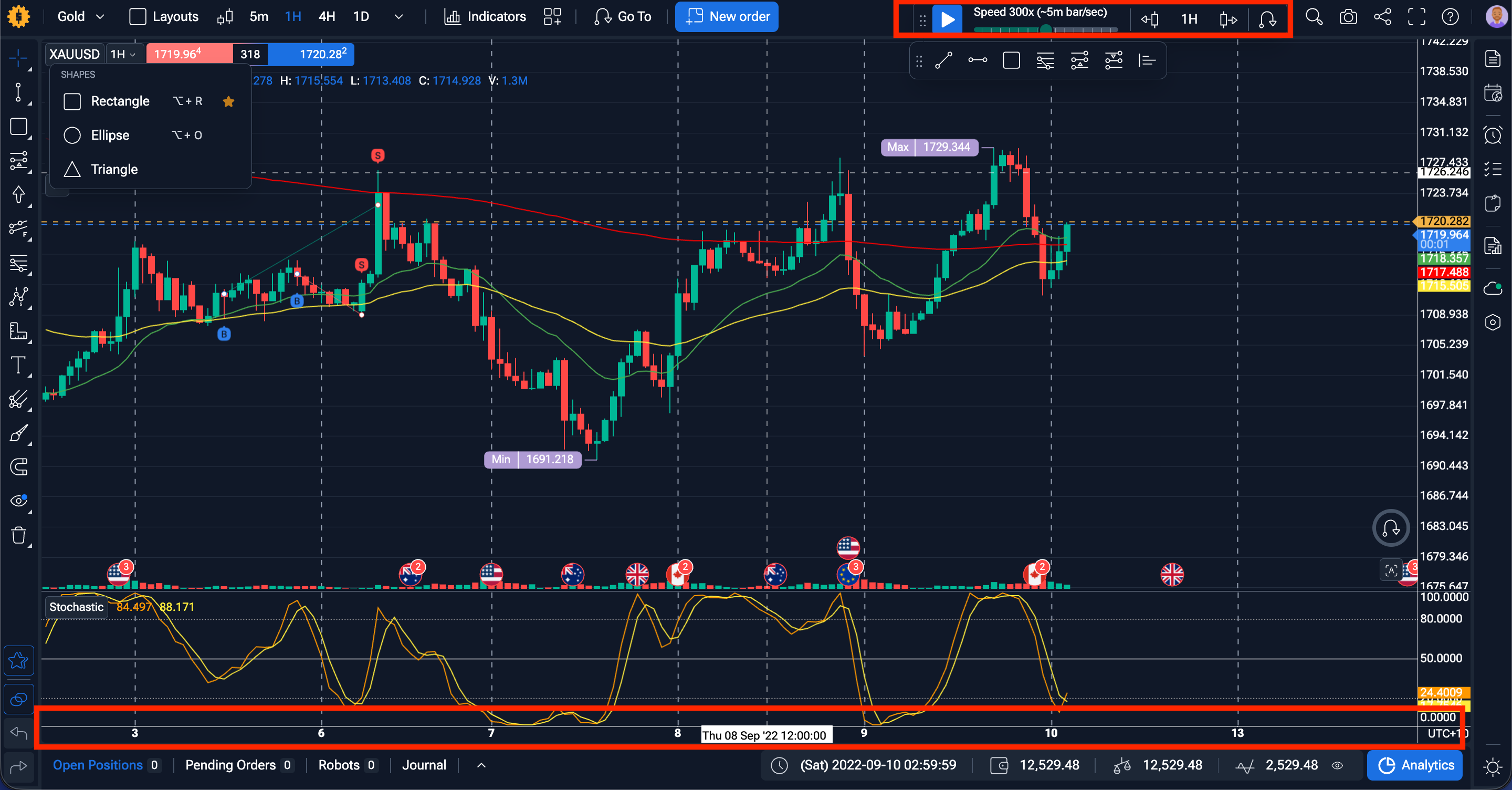
I noticed the replay timer is always at the top slight right from the centre by default.
Would it be possible to make it fixed at the top or bottom?
Also, once this is setup, i’d like this to be applied to all project as well.
I’ve marked with the red square in the chart where that could potentially be.
Thank you so much.
- How does this impact your experience?
Comments5
Diana Zhoshko
Apr 27
Also, we have a default chart template.
Here’s how it works:
-Adjust your chart settings (Grid, candle colors, and other preferences).
-Go to Chart Templates → Save template.
-Activate Apply default
From then on, any new project will automatically use the saved template settings, making setup much easier.
Diana Zhoshko
Apr 27
Hi @Kawakatsu Kentaro ,
One possible workaround: you can create an empty project with your preferred template and then make copies of that project whenever you need a new one.
Would that solution work for you?
Diana Zhoshko
Apr 24
Hi @Kawakatsu Kentaro ,
Thank you for the suggestion about saving templates across projects. The main idea behind separate projects is that each one allows you to create completely new conditions and test different setups.
That’s why a new project doesn’t automatically keep templates. In fact, you don’t necessarily need to create a new project—you can simply add another symbol to your existing one and keep your template intact.
Regarding the replay timer: if you click and hold the six dots on it, you can drag it to wherever you prefer on the chart. That way you can position it at the top or bottom as you like.
Tradermoe
Apr 24
I agree it is extremely annoying to have to set everything up every single time. Why not have a template for the projects and if someone does not want to use the template feature, then they don’t have to use. I have mentioned this multiple times over the years like other ideas that have been ignored. It is extremely hard to use right now, so I had to stop using it because it is so slow. I have been with you guys since the beginning and have spent hours trying to help you with this platform only to be ignored concerning most things. I can’t use the platform right now because of how buggy and slow it moves.
Serhii S.
Apr 26
Hi @Tradermoe Thank you for your honest feedback and for being with us since the early stages of the platform.
We genuinely appreciate the time and effort you’ve invested in sharing ideas over the years.
First of all, your ideas are not ignored. On the contrary, they are recorded and reviewed.
The suggestion regarding a project-wide template system is already noted on our side as a valid improvement request. It is something we recognize as useful, especially for reducing repetitive setup work.
At the same time, we want to be transparent: we cannot implement all improvements as quickly as we would like. Development is done in priorities, and some features require more time to design and integrate properly into the existing architecture.
Regarding performance and stability, our developers are currently working on fixes aimed at reducing lags, freezes, and general slowdowns in the platform. As part of this effort, they are also actively reviewing the project you previously reported to better understand and reproduce the issues.
Thank you for your understanding and patience.