The M5 chart is not displayed.
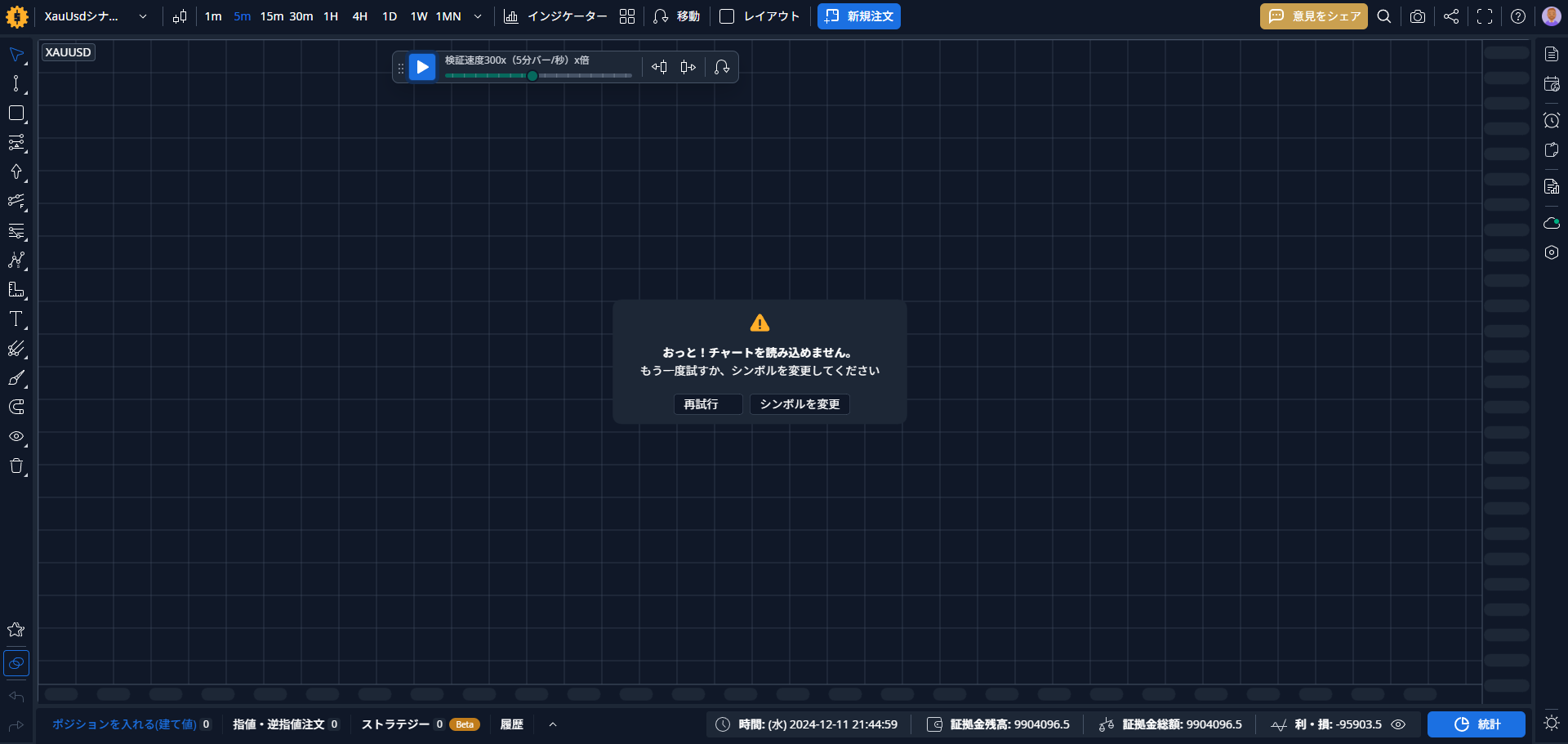
The M5 and M1 charts are not displaying. This happens frequently. Is this a software issue? Or is it an issue with my environment? I reported a similar bug before, but it doesn't seem to have been fixed. Is this a bug that takes a long time to address?
- How does this impact your experience?
Comments2
Serhii S.
Sep 3, 2025
Hello @User ! Thanks for reaching out and for the screenshot. I'm sorry to hear you're still running into this issue with the charts not displaying.
Could you please first try clearing your browser's cache and data to see if that resolves the problem?
If the issue persists after that, could you please help us investigate further by doing the following?
Open your browser's developer tools (usually by pressing F12 or Ctrl+Shift+I / Cmd+Opt+I).
Go to the "Console" tab.
Take a screenshot of any errors you see there and share it with us.
Also, please let us know your:
Operating System (e.g., Windows 11, macOS Sonoma)
Browser and its version (e.g., Chrome 123)
Device specifications (CPU, RAM)
Internet connection quality (e.g., speed test results)
This information will be a great help for our team to diagnose what's going on. Thank you.
Roman Fedorov
Sep 3, 2025
Hi @User . The chart should display properly. Please, clean cache and cookies in browser and try again. If it won't help - try in other browser.
チャートは正常に表示されるはずです。ブラウザのキャッシュとクッキーを削除して再度お試しください。それでも改善しない場合は、別のブラウザでお試しください。