The chart replay does not work.
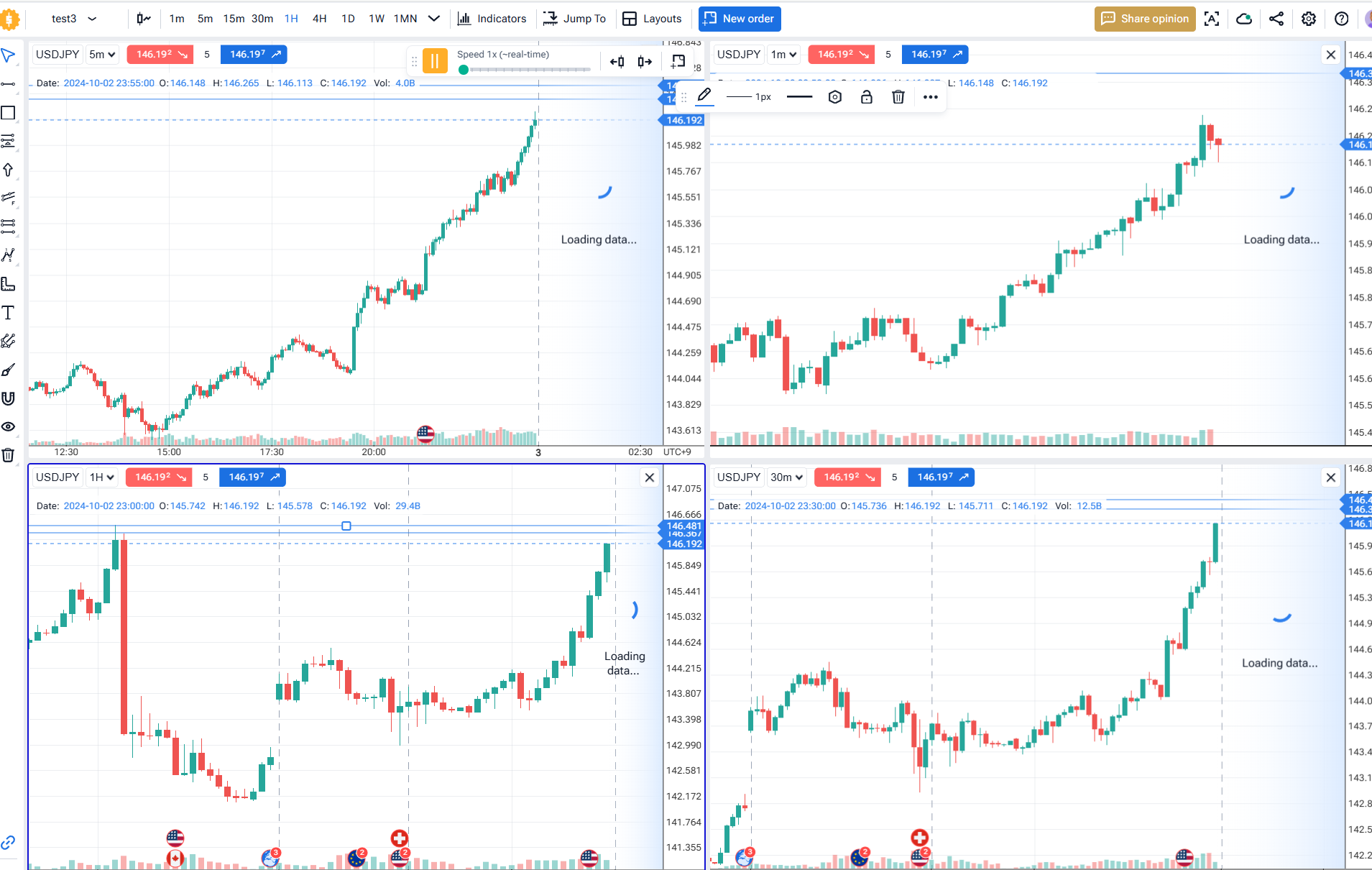
I’ve tried to set up a project and do a replay with four charts.
The period was from Oct. 1st to no end.
But first, the charts were “loading” forever.
So I reloaded the browser and the “loading” disappeared.
But when I click “play” button, nothing happens.
“ bar gfoward” does not work either.
“bar backward” button works, but that’s it.
How should I deal with this?
- How does this impact your experience?
Comments7
Serhii S.
Jan 13, 2025
Hi @User! Please clear the cache and data on the Forex Tester Online main page.
Here’s how to do it in Chrome:
Open the FTO website in Chrome.
Click the lock icon in the address bar (to the left of the URL).
Select Site settings from the dropdown menu.
Scroll down and click Clear data.
Reload the page.
This may help resolve the issue.
Broiler 010
Jan 13, 2025
Thanks for the reply.
Do you mean this “Delete data” on top right?
Or is there supposed to be “Clear data” anywhere if I scroll this down?
I had seen your reply somewhere else and tried other fresh browsers like Edge, but still did the same..fyi
Serhii S.
Jan 13, 2025
Yes, you’re correct—the “Delete Data” button located in the top right is the option I referred to.
Broiler 010
Jan 13, 2025
It works now.
Thank you!
Serhii S.
Jan 14, 2025
You’re welcome! Glad I could help.
User
Aug 24, 2025
this did not work for me - stuck with my testing :(
Serhii S.
Aug 25, 2025
Hi @User! Could you please provide a project link? Please refrain from using it while we investigate the issue. Thank you for your patience.