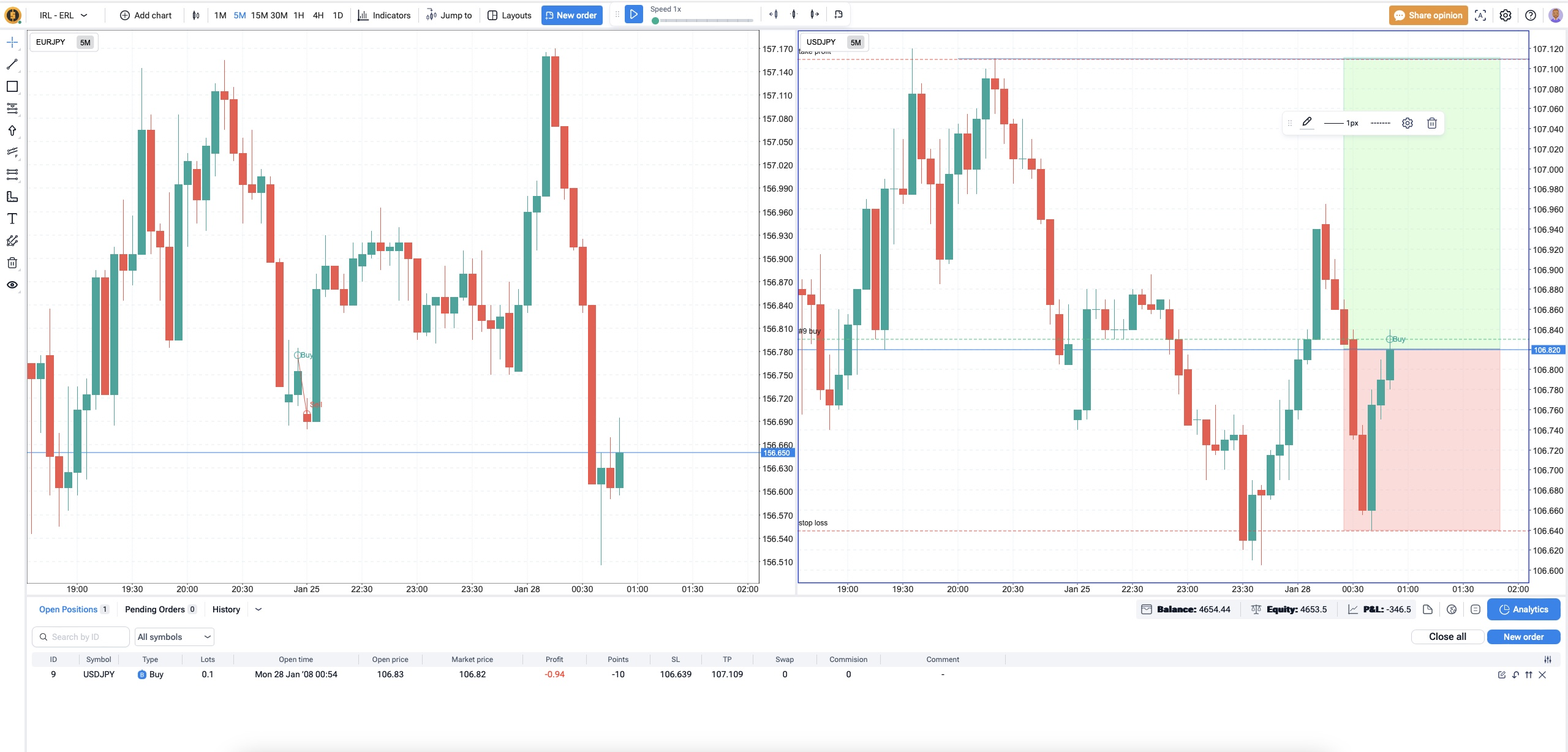
I can not make it go away. I tried clicking on both charts. This happened earlier, but when I went to put a blue arrow to point at it, then it started working again. I wanted to make sure you guys saw it this time.
It only disappears when I click on something else, for example, the blue arrow, then it goes away and I can delete the box for the blue arrow.
Serhii Support
•
Jun 7, 2024
Hello @Tradermoe1023! Thank you for reporting the bug. This box appears whenever you select a graphical element on the chart. It should disappear if you click outside the graphics tool. Does this work for you?
Comments5
Tradermoe
Jun 7, 2024
It only disappears when I click on something else, for example, the blue arrow, then it goes away and I can delete the box for the blue arrow.
Serhii Support
Jun 7, 2024
Hello @Tradermoe1023! Thank you for reporting the bug.
This box appears whenever you select a graphical element on the chart. It should disappear if you click outside the graphics tool. Does this work for you?