In response to the reply from Serhii S. on May 25, 2025 at 3:25 pm
Thanks for the reply.
I have reviewed the contents.
Based on your reply, I will submit a request for further improvement.
1
This may be related to the 1 I sent the other day,
My language is Japanese.
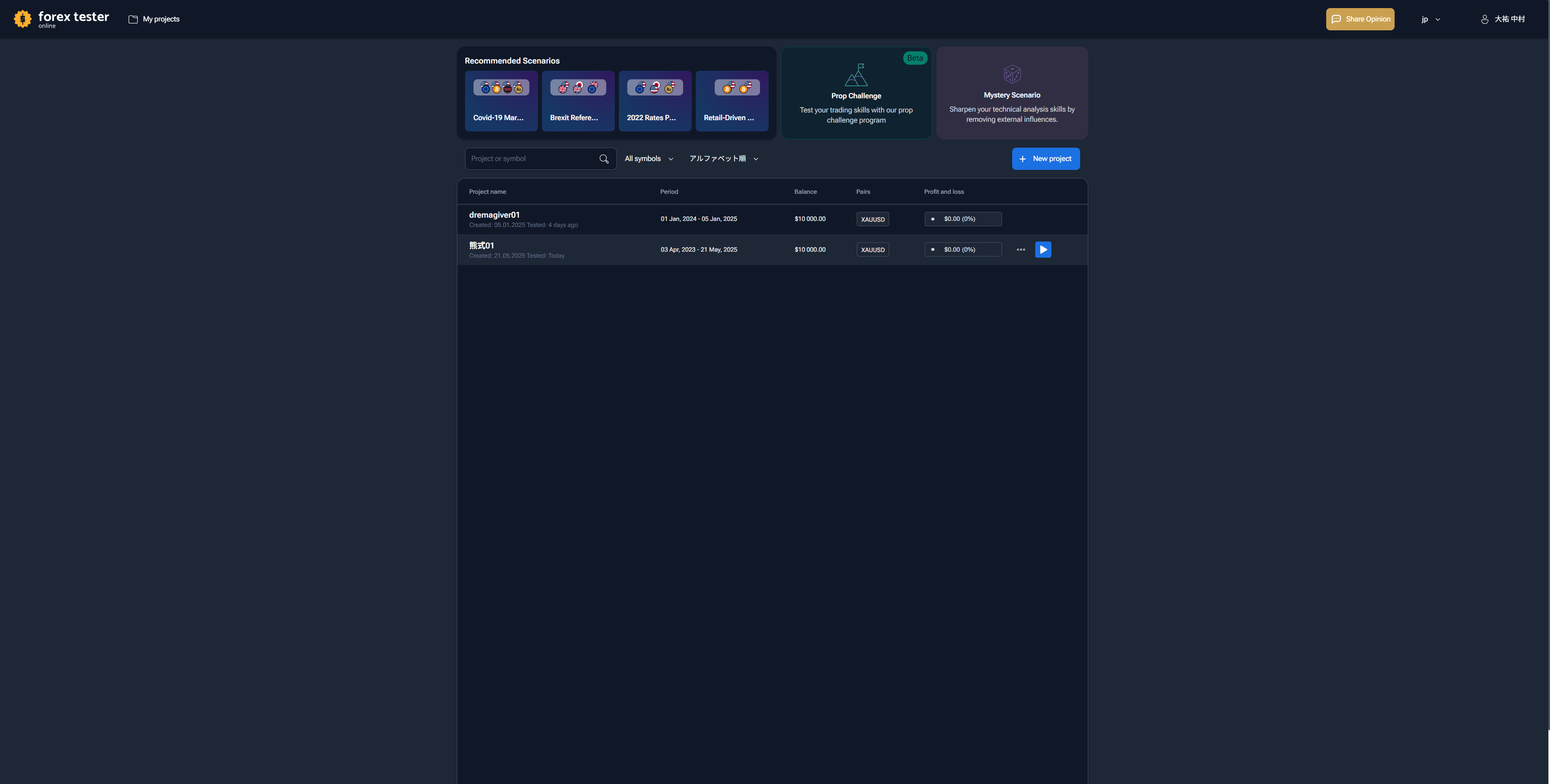
When I start my browser (Google Chrome) and launch FTO, the dashboard appears in English every time, even though it is labeled "jp" (attached image).
If you start the project in this state, the chart will be launched in English.
I have found that if I set the Bollinger Bands in this English notation, the settings are saved.
However, when I change the language to Japanese and follow the instructions to refresh the site, the Bollinger Band settings revert to the default settings (Deviation 8, Shift 2, etc.).
We request that this be corrected.
Also, as mentioned above, it is very stressful to have to update the language used each time a page in English is displayed each time it is launched.
Please improve this.
2
We are already using the "template" you suggested. It is not effective at all.
Here is a concrete example.
We have a 4-hour chart and a 1-hour chart.
As Template 1, we set the 1-hour chart to draw a red horizontal ray.
Draw a horizontal ray on the 1-hour chart (called "horizontal ray 1"). The horizontal ray is the color used in the previous step.
The horizontal ray will be drawn in the color of the immediately preceding ray. For example, suppose a blue horizontal ray is drawn.
In this case, the horizontal ray will also appear on the 4-hour chart (referred to as "horizontal ray 2"). The horizontal ray 2 will be drawn in the same way as the blue horizontal ray.
Horizontal ray 2 will appear synchronized with respect to position.
However, even if template 1 is applied to horizontal ray 1 in this state, horizontal ray 2 will not reflect the template of horizontal ray 1.
In other words, even if Template 1 is applied to Horizontal Ray 1, the blue horizontal Ray 2 will not change to red.
Therefore, after applying Template 1 to the 1-hour chart, it is necessary to apply Template 1 to the 4-hour chart as well.
If 8 charts are used, for example, the process of applying Template 1 must be repeated 8 times.
Is the suggestion you gave in your response that in the above example, the template should be applied 8 times?
Obviously, Forexteser6 and Tradingview do not have this problem.
If you apply a template with a pre-set time axis to a horizontal ray on one time frame, it will instantly synchronize to horizontal rays displayed on charts of other time frames without any problem.
Does FTO have such a feature?
I am not sure I understand the meaning of the answer you gave me in the first place,
I would like to have your answer again after taking into account the above symptoms.
3
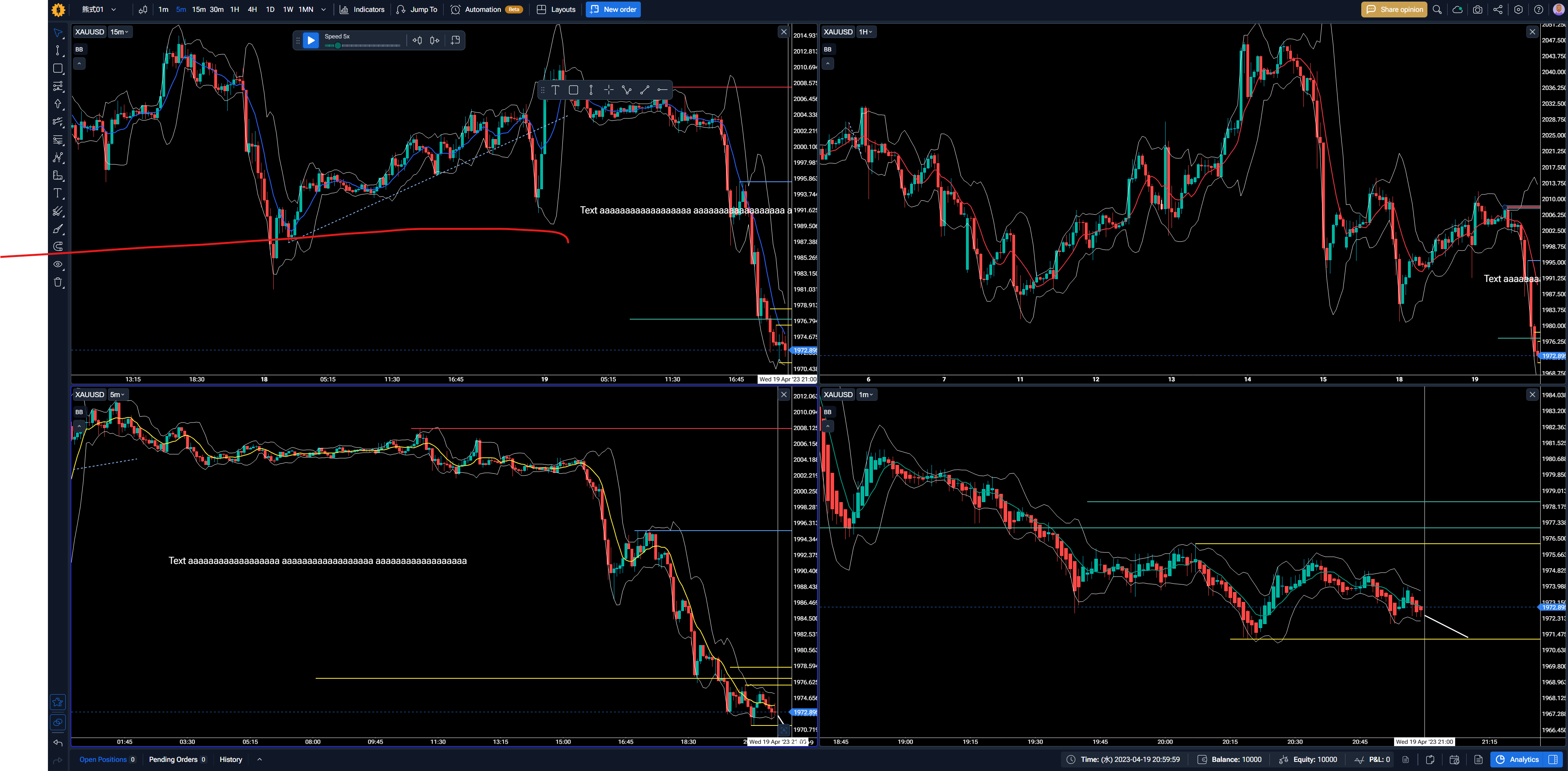
Attached is an image.
When I press the SHIFT key to start a new line, the line breaks in the text box.
However, the chart shows no line breaks, just a space and the contents extending endlessly to the right.
If such is the specification, please improve it.
- How does this impact your experience?
Comments1
Serhii S.
May 26, 2025
様 @User
詳細なフィードバックと、それぞれの問題について分かりやすくご説明いただき、誠にありがとうございます。弊社からの回答は以下のとおりです。
言語が英語にリセットされ、ボリンジャーバンドもリセットされる ご不便をおかけして申し訳ございません。ご指摘ありがとうございます。
この問題を解決するには、以下の手順をお試しください。
ブラウザのキャッシュとCookieをクリアし、
日本語インターフェースから直接ログインしてください。 👉 https://online.forextester.com/jp/
これにより、システムがお客様の設定言語を記憶できるようになり、言語を切り替えてもインジケーター設定(ボリンジャーバンドなど)がリセットされなくなる可能性があります。
この方法で問題が解決した場合はお知らせください。解決しない場合は、引き続き調査いたします。
水平線テンプレートと時間枠間の同期 分かりやすい例をいただき、大変助かりました。
はい、その通りです。現在、テンプレートは各チャートに個別に適用する必要があります。そのため、チャートが8つある場合、同じテンプレートを8回適用する必要があります。
これは理想的ではないと認識しています。異なる時間枠間でグラフィカルツールのスタイル(水平線など)を同期させるというご提案は素晴らしいもので、開発チームに伝えました。今後のアップデートでこの機能を実装できるよう最善を尽くします。
Shift + Enterキーでテキストの改行がチャートに表示されない この問題をご指摘いただき、画像をご提供いただきありがとうございます。
この問題は認識しており、Shift + Enterキーを使用してテキストボックスに入力した改行がチャートに正しく表示されません。
開発チームはこの問題を既に認識しており、Forex Tester Onlineの今後のアップデートで修正する予定です。
貴重なフィードバックと詳細なご説明をいただき、改めて感謝申し上げます。皆様のご意見は、プラットフォームの改善に役立てさせていただきます。
ご質問やご意見がございましたら、お気軽にお問い合わせください。
Dear @User ,
Thank you very much for your detailed feedback and for taking the time to explain each issue clearly. Please find our responses below:
1. Language resets to English + Bollinger Bands reset
We understand how inconvenient this can be — thank you for pointing it out.
To try resolving the issue, please:
Clear your browser cache and cookies, and then
Log in directly via the Japanese interface:
👉 https://online.forextester.com/jp/
This should help the system remember your preferred language and may also prevent indicator settings (such as Bollinger Bands) from resetting when switching languages.
Please let us know if this resolves the issue — if not, we will continue investigating further.
2. Horizontal Ray Template and syncing across timeframes
Thank you for the clear example — it's very helpful.
Yes, you are correct: currently, templates must be applied to each chart individually. So in your case with 8 charts, the same template would need to be applied 8 times.
We understand this is not ideal. Your suggestion about synchronizing graphical tool styles (such as horizontal rays) across different timeframes is excellent, and we’ve passed this idea on to our development team. We will do our best to include this feature in future updates.
3. SHIFT + Enter and text line breaks not showing on chart
Thank you for highlighting this issue and providing an image.
We’re aware of this behavior — the line breaks entered in the text box using Shift + Enter currently do not appear correctly on the chart.
Our development team is already informed about this problem, and we plan to fix it in one of the future updates to Forex Tester Online.
Once again, thank you for your valuable feedback and detailed explanations — they help us improve the platform for everyone.
Please don’t hesitate to reach out if you have any further questions or observations.