New Order Sync
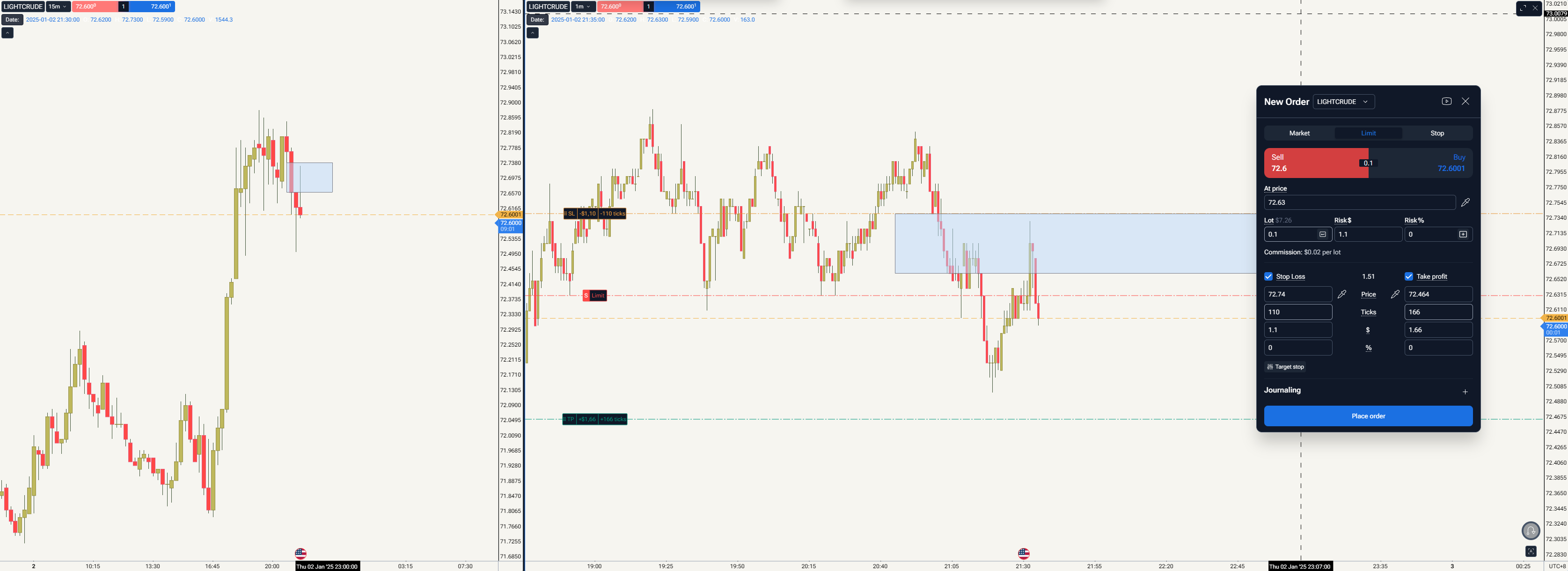
Once user put an order on one chart (this case 1min) it doesnt detect on another one (15min). Very not user friendly.
let say they have 3 chart template and user click order on higher tf chart, but the real intention is to make an order at lower tf, they need to do 3 steps
user need to cancel the order
user need click the chart (they want to make order due to make clear decision)
user need to make new order
i think a even you can feel the inconvenient here.
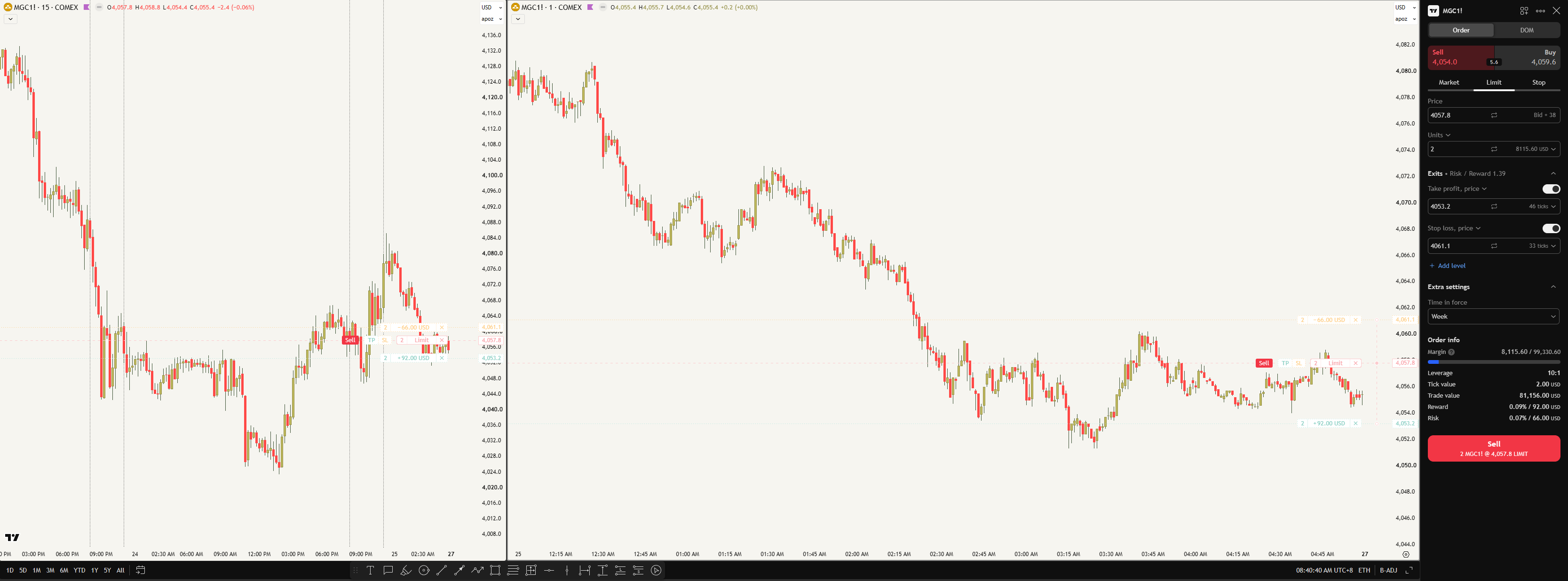
Compare to TV it appear on both chart. very convenient for user
- How does this impact your experience?
Comments3
Stanislav Voitsekhovskyi
Jul 25
Hello @tatsutrading,
Thank you for the detailed feedback, we understand why this workflow feels inconvenient.
The Place Order window is tied to the chart that is currently active, and once the order is actually placed, it will then appear across all charts and timeframes of the same symbol.
We understand that switching between timeframes before placing the order can require extra steps, especially when working with multi-chart layouts. We've noted your feedback and will share it with our product team so they can consider whether this workflow can be improved in future updates.
tatsutrading
Jul 26
when making an order, only side that order made (right) can be edit (add rectangle, zoom in/out while left side become fix chart
Stanislav Voitsekhovskyi
Jul 27
Hello @tatsutrading,
Thank you for your feedback.
At the moment, while you're configuring a new order, you can only edit chart objects and interact with the active chart in your layout. The other charts remain fixed until the order is placed.
I've already passed your suggestion on to our developers so they can consider improving this behavior in future updates, allowing all charts in a multi-chart layout to remain interactive during order placement.
We appreciate you sharing your experience, it helps us improve the platform.