At the moment, after an order has been closed, you can delete the existing screenshot and create a new one if needed.
Could you please clarify what you'd like to change in the Journal? Are you referring to replacing the screenshot after editing the order values, or is there another part of the Journal that you'd like to be editable?
This will help us better understand your request and pass the correct feedback to our team.
one more thing, may you make the button journal align as the list because once user have hundred of data, it is very difficult to trace since current position is a bit above
fancy, yes. convenient, no.
Diana Zhoshko
Team•
Jul 27
Hi @tatsutrading ,
Thank you for your feedback!
I’ve passed your suggestion about aligning the Journal button with the list to our developers for future improvements.
Stanislav Voitsekhovskyi
Team•
Jul 27
Hello @tatsutrading,
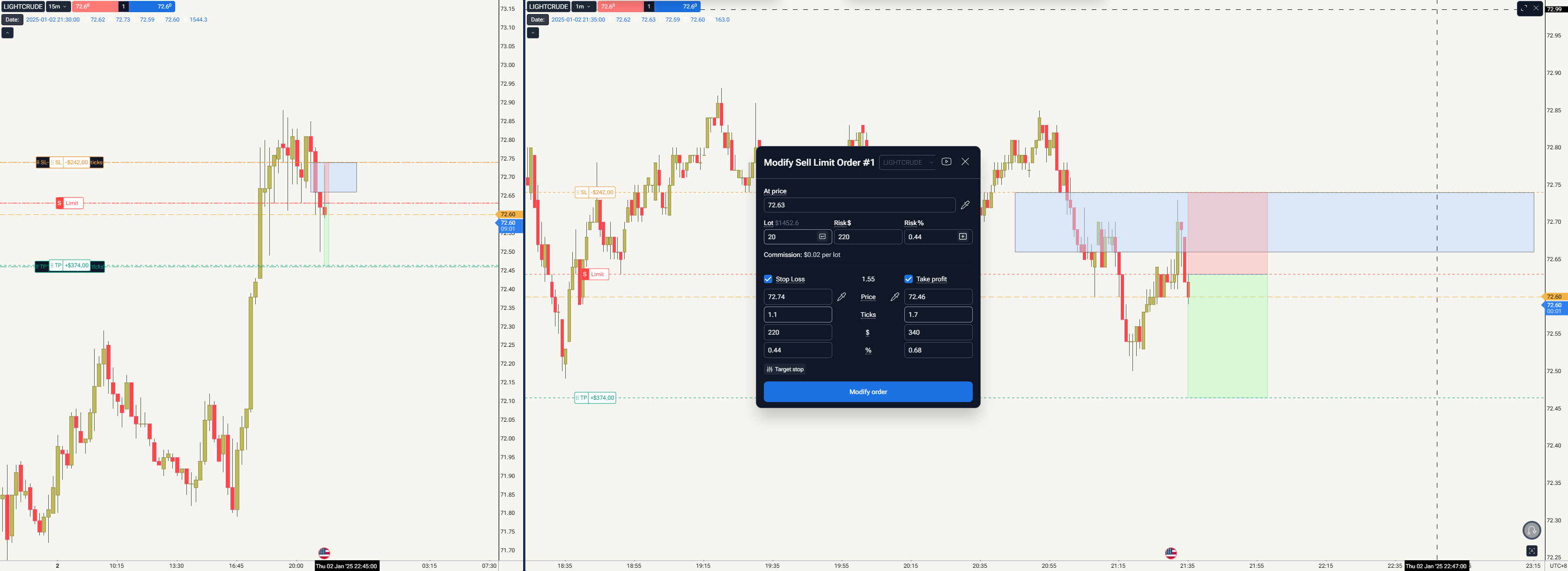
You can modify a trade by simply clicking on it. This works both for trades that are still open (from the Open Positions tab) and for trades that have already been closed in the Journal.
If the Journal panel feels too small, you can also resize it by dragging the top edge of the bottom panel upward. This makes it much easier to review and manage a large number of trades.
Regarding your suggestion about aligning the Journal with the list, could you please clarify what you mean? The Journal is already displayed as a list, so I may be misunderstanding your request. If you mean something different, could you send a screenshot or describe it in a bit more detail?
That will help us understand your suggestion correctly and pass it on to our developers.
tatsutrading
•
Jul 28
Align Issue
i hope this might help
small data maybe dont affect to much but once user have more data (100+) even user put the cursor to the details they want, as you can see it is in between 2 details trade. it will make user need to double confirm whether they click on right trade.
tatsutrading
•
Jul 28
Journal Can’t Open
this the video when i say journal cant open
tatsutrading
•
Aug 6
no response?
Serhii S.
Team•
Aug 8
Hi @tatsutrading! Sorry for not responding in time.
I’ll report the button not working to our developers. In the meantime, to open the journal for a specific trade, you just need to click on that trade.
Will that work for you?
tatsutrading
•
Aug 8
if you mean clicking on any part of the trade, yes for that one it is working. just a little bit shocked now it auto saved
Serhii S.
Team•
Aug 8
Got it - thanks for confirming.
Is everything working as it should for you now, or is there anything still behaving unexpectedly?
tatsutrading
•
Aug 8
as for now, all good
Serhii S.
Team•
Aug 10
Got it - thanks for confirming.
Glad to hear everything is good for now. If anything comes up again, just let us know and we’ll take a look.
Comments12
Stanislav Voitsekhovskyi
Jul 25
Hello @tatsutrading,
Thank you for the suggestion!
At the moment, after an order has been closed, you can delete the existing screenshot and create a new one if needed.
Could you please clarify what you'd like to change in the Journal? Are you referring to replacing the screenshot after editing the order values, or is there another part of the Journal that you'd like to be editable?
This will help us better understand your request and pass the correct feedback to our team.
tatsutrading
Jul 26
how can i modify if journal cant open
https://app.forextester.com/chart?projectId=6a59ad0a4d5184a2de53d574
one more thing, may you make the button journal align as the list because once user have hundred of data, it is very difficult to trace since current position is a bit above
fancy, yes. convenient, no.
Diana Zhoshko
Jul 27
Hi @tatsutrading ,
Thank you for your feedback!
I’ve passed your suggestion about aligning the Journal button with the list to our developers for future improvements.
Stanislav Voitsekhovskyi
Jul 27
Hello @tatsutrading,
You can modify a trade by simply clicking on it. This works both for trades that are still open (from the Open Positions tab) and for trades that have already been closed in the Journal.
If the Journal panel feels too small, you can also resize it by dragging the top edge of the bottom panel upward. This makes it much easier to review and manage a large number of trades.
Regarding your suggestion about aligning the Journal with the list, could you please clarify what you mean? The Journal is already displayed as a list, so I may be misunderstanding your request. If you mean something different, could you send a screenshot or describe it in a bit more detail?
That will help us understand your suggestion correctly and pass it on to our developers.
tatsutrading
Jul 28
Align Issue
i hope this might help
small data maybe dont affect to much but once user have more data (100+) even user put the cursor to the details they want, as you can see it is in between 2 details trade. it will make user need to double confirm whether they click on right trade.
tatsutrading
Jul 28
Journal Can’t Open
this the video when i say journal cant open
tatsutrading
Aug 6
no response?
Serhii S.
Aug 8
Hi @tatsutrading! Sorry for not responding in time.
I’ll report the button not working to our developers. In the meantime, to open the journal for a specific trade, you just need to click on that trade.
Will that work for you?
tatsutrading
Aug 8
if you mean clicking on any part of the trade, yes for that one it is working. just a little bit shocked now it auto saved
Serhii S.
Aug 8
Got it - thanks for confirming.
Is everything working as it should for you now, or is there anything still behaving unexpectedly?
tatsutrading
Aug 8
as for now, all good
Serhii S.
Aug 10
Got it - thanks for confirming.
Glad to hear everything is good for now.
If anything comes up again, just let us know and we’ll take a look.