Journal Screenshot bug
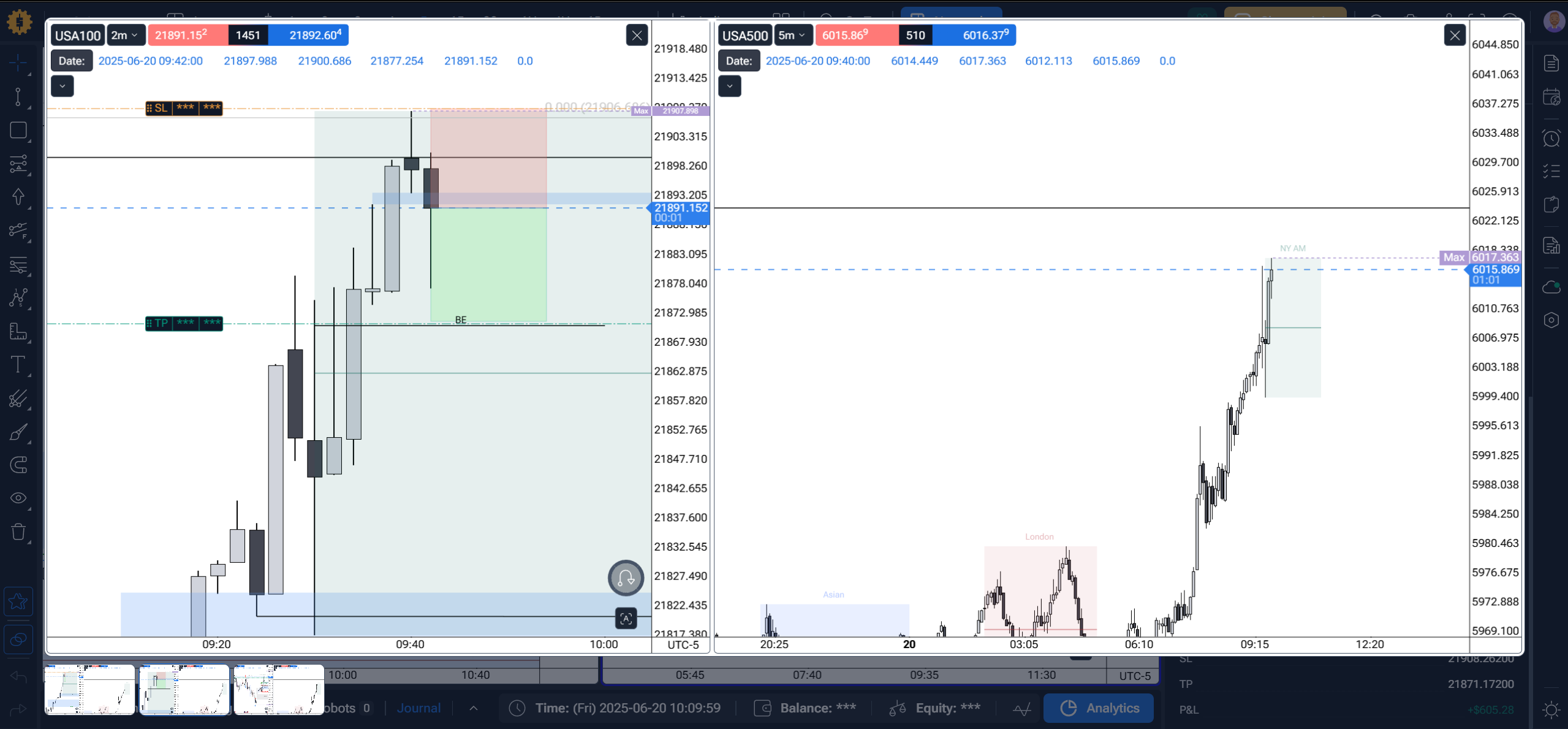
With the newest update, taking screenshots while in the journaling tab results in good images; however, when we take a screenshot after the journal entry is completed (after the trade is taken), the image is zoomed in and is not the same resolution as the others taken prior to the trade.
This image below is a pic of the charts BEFORE I took the trade.
This image below is a pic of the charts AFTER I took the trade. All on the same timeframe with the same location and I didn’t change anything outside of the page (like the magnifying glass tool)
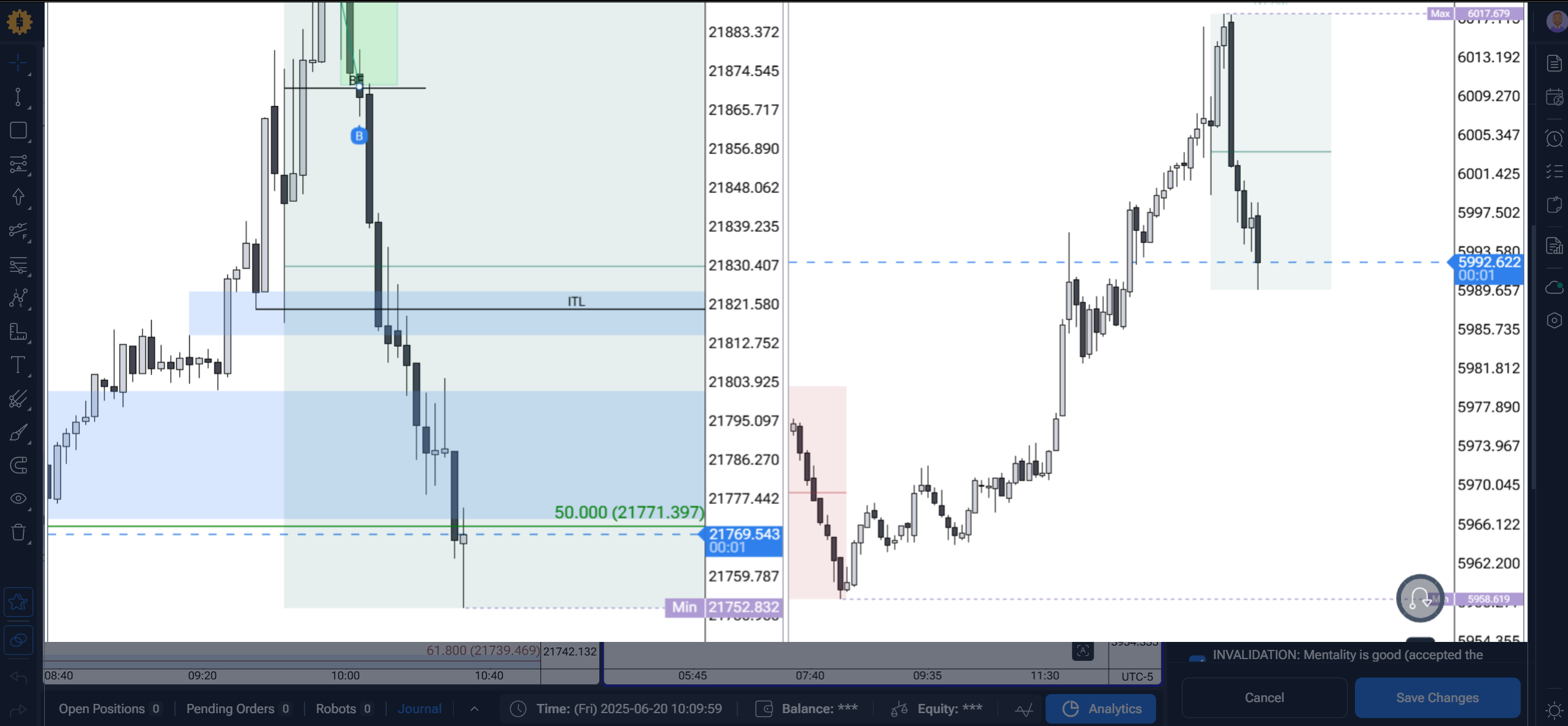
Note that I can remedy this by just using the magnifying glass to reduce the screen size to roughly 75%; however, this is most likely not what is supposed to happen, so I wanted to report it.
- How does this impact your experience?
Comments1
Stanislav Voitsekhovskyi
Jan 4
Hello @User
Thank you for the detailed feedback and screenshots!
I have already forwarded this to the technical department, and I will let you know as soon as I receive a response from them!