Issues with Custom Timeframes & Floating Panel Position Persistence
Hi FTO Team,
First of all, thank you so much for finally releasing the Custom Timeframe (TF) feature! I have been eagerly waiting for this for a very long time, and it’s amazing to see it live.
However, after testing it out along with some of the other new features in the latest release, I have encountered a few issues that need your attention:
1. Indicators Hidden by Default on Custom Timeframes
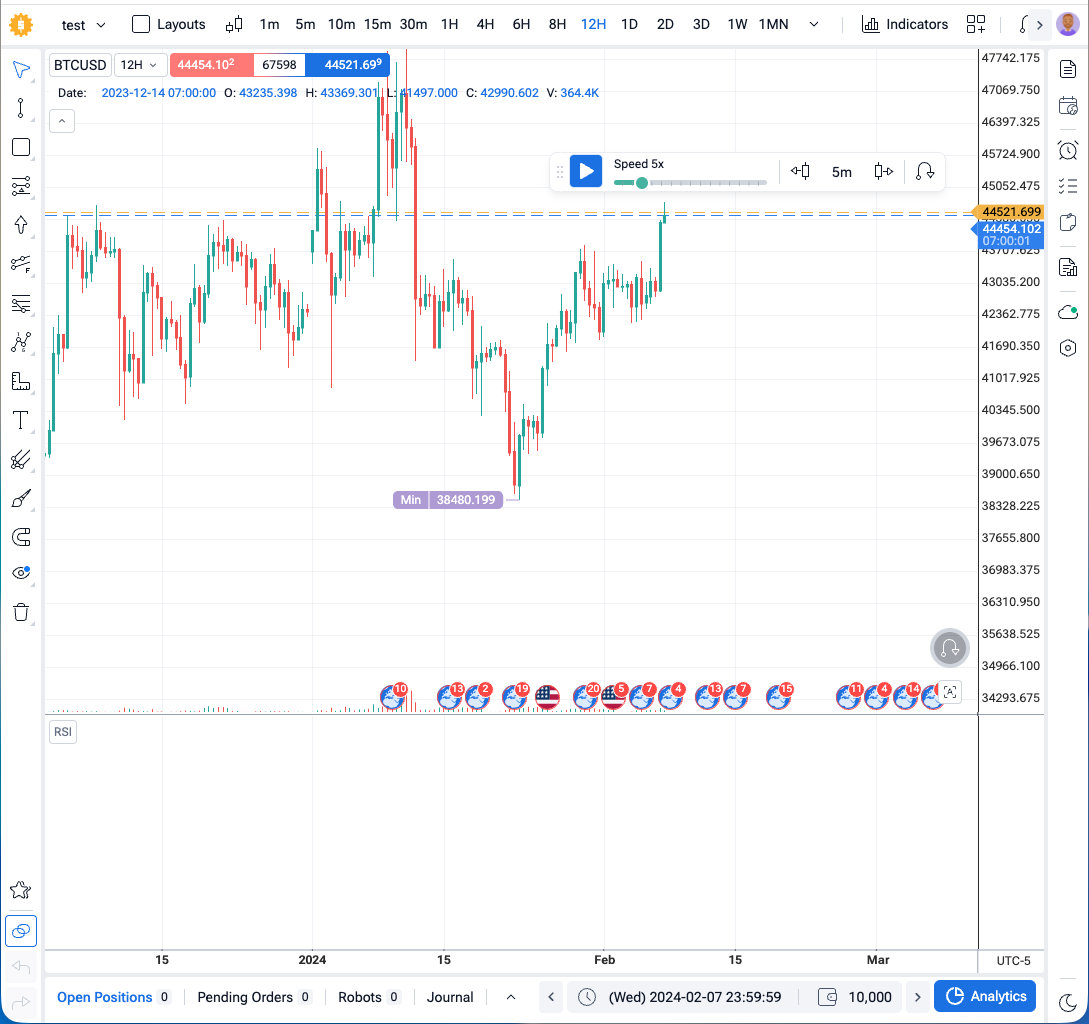
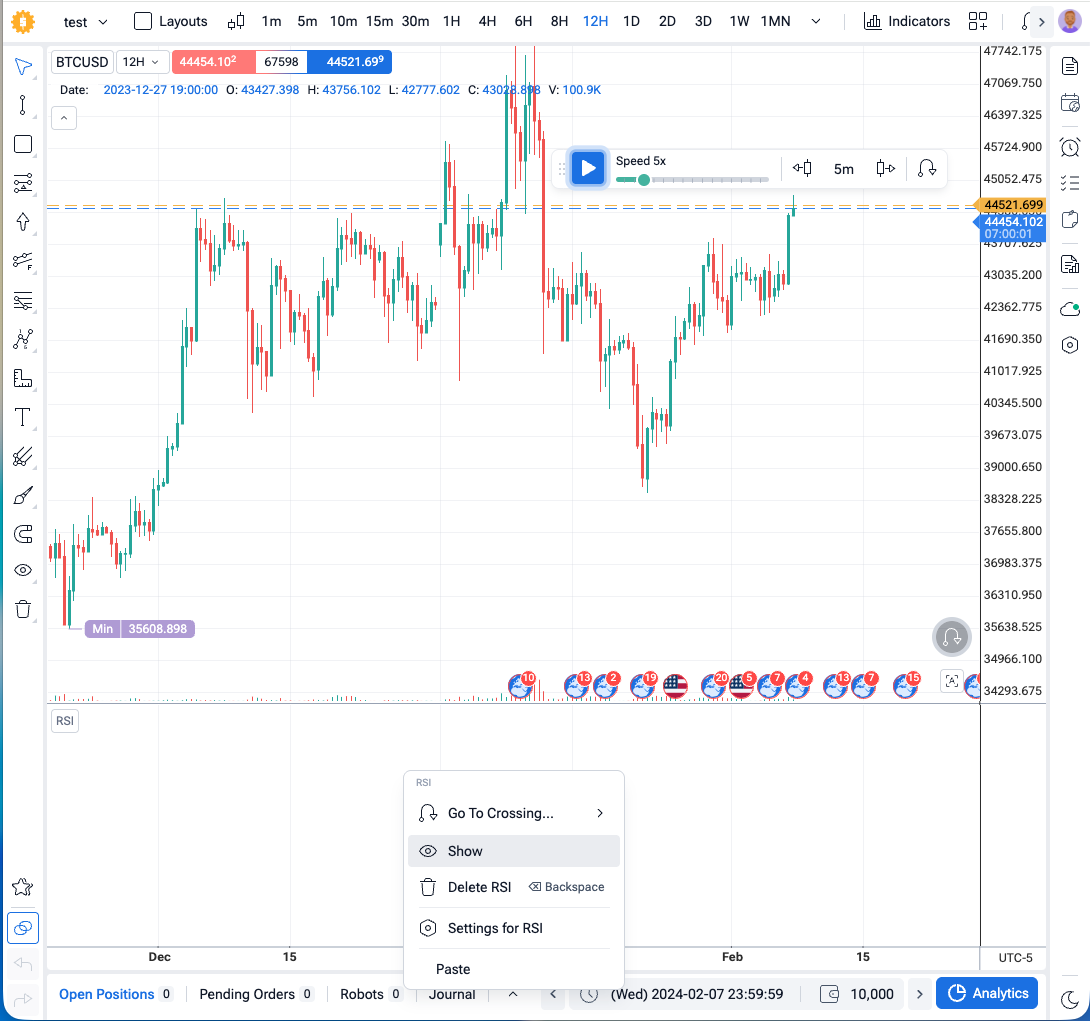
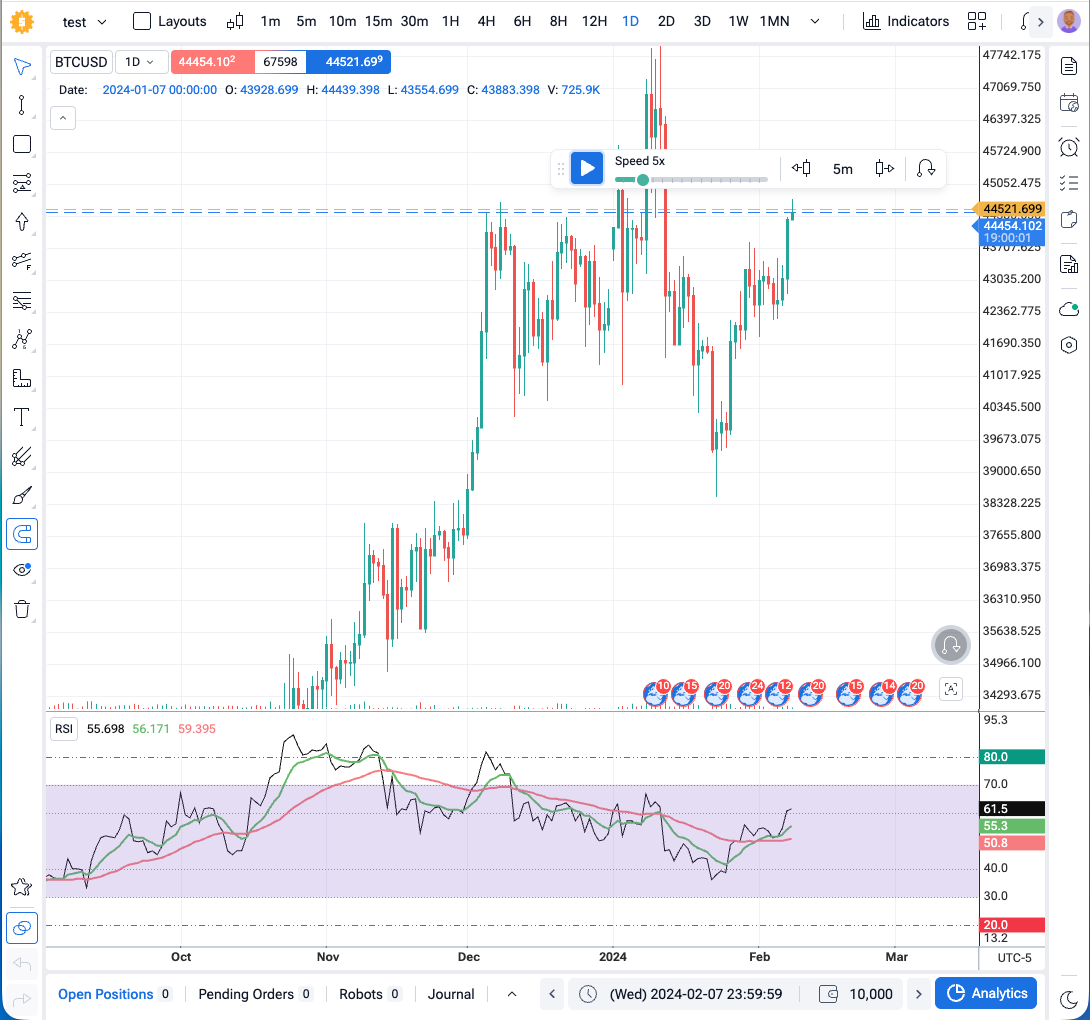
The Issue: When adding any indicator while on a Custom TF, the indicator panel appears completely blank/white, which initially makes it look like a bug. In reality, the indicator is just hidden by default. To make it visible, I have to right-click the panel and manually select "Show" (this does not happen on default TFs).
As you can see in the screenshots below, it’s default hide on 12H, but show on 1D:
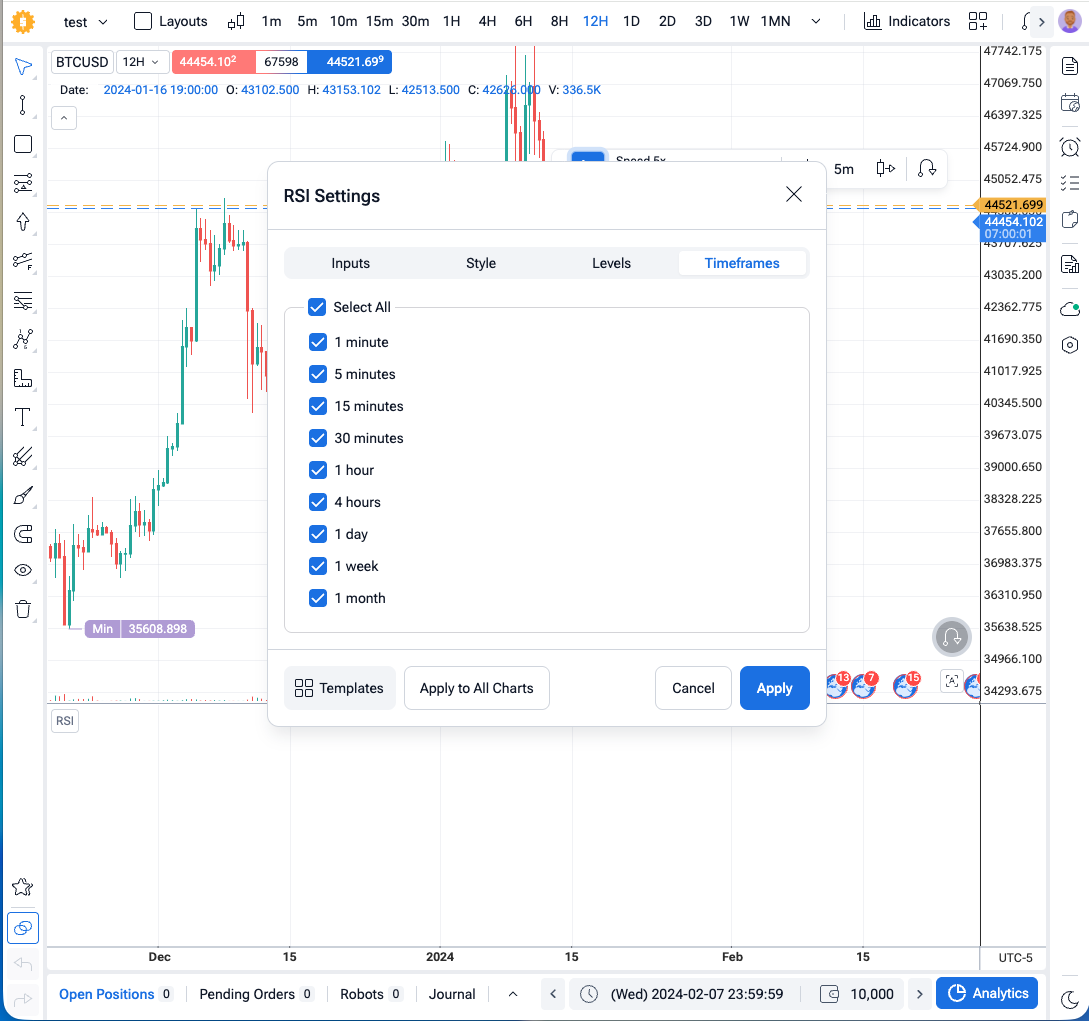
Settings Menu Discrepancy: Additionally, under the indicator's "Timeframes" visibility settings, the list only displays the default timeframes. None of the user-added Custom TFs appear in that list.
Suggestion: Indicators should be visible by default on all timeframes, whether they are default or custom.
2. Custom RSI Indicator Background Fill Missing on Custom TFs
The Issue: I built a custom RSI indicator using the latest FTO API version (v2.4.0) which includes a background fill for the RSI zone between 30 and 70. While the background fill renders perfectly on all default timeframes, it completely fails to display on Custom TFs (though the RSI line itself is visible). I am not sure why this is happening.
As you can see in the screenshots below, background fill works on 1D, but doesn’t work on 12H:
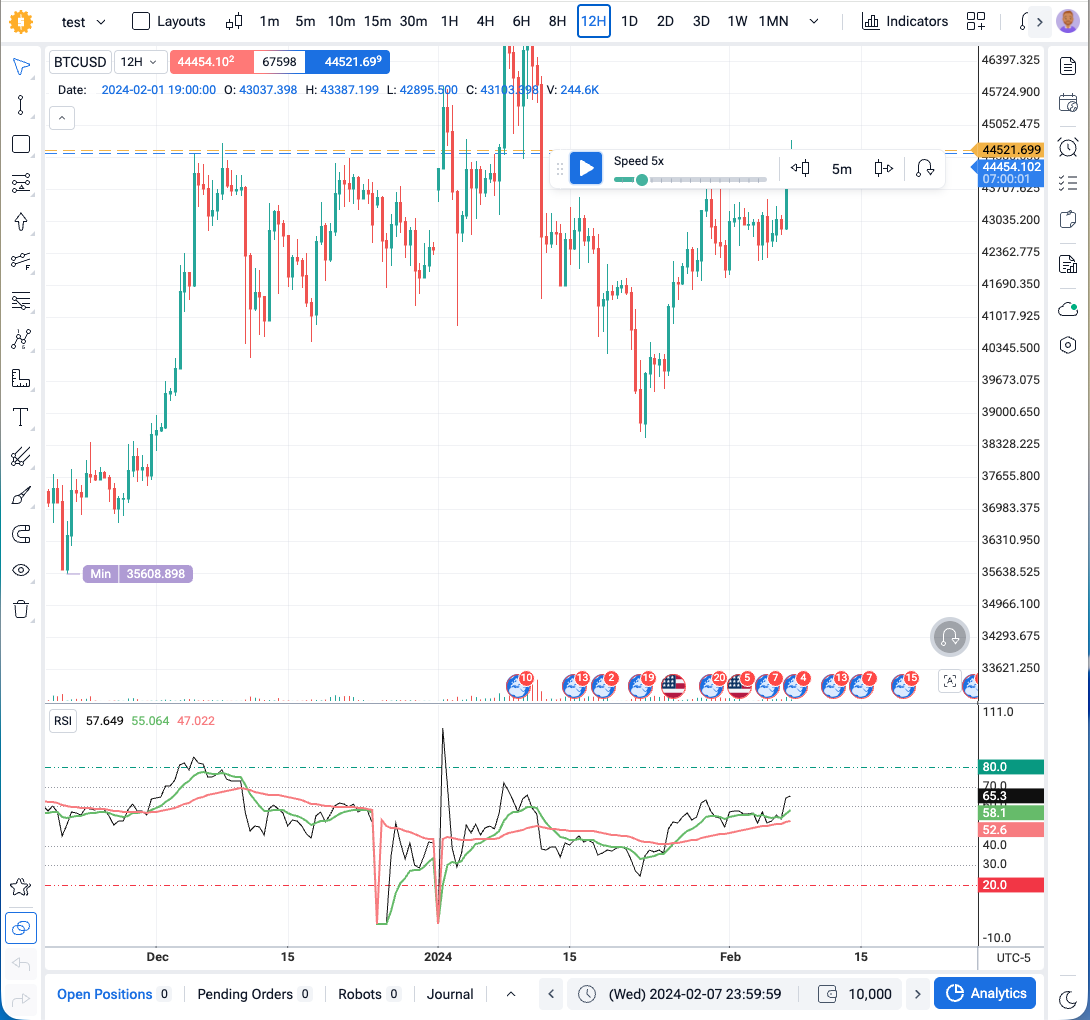
Attachment: I am uploading/attaching my custom indicator file here. Could the dev team please inspect it and help me identify what is causing this rendering issue on Custom TFs?
custom-indicator.txt
20.4 KB• Text
3. "Floating Panel Position Persistence" is Not Working
The Issue: The changelog under "User Experience Improvements" mentions: "Floating panel positions are now automatically saved to local storage and restored when reopening the platform." However, this is currently not working for me.
Steps to Reproduce:
Add an indicator to the chart.
Drag and resize the panel (e.g., make it taller).
Save the project.
Go back to the homepage and reopen the project, or simply refresh the page.
Result: The panel resets to its default size/position, and I have to manually drag and resize it all over again. The position/size does not seem to persist in local storage.
PS: Since these bugs directly affect the core experience of the newly released Custom Timeframe feature, I really hope the team can push a quick hotfix for this version soon, rather than having us wait a month or more for the next major release.
Thank you again for your constant hard work and dedication to improving the platform. I hope these details help you squash these bugs quickly!
- How does this impact your experience?
Comments7
Diana Zhoshko
Jul 17
Hi @Hoàng Nguyễn ,
We’re not fully sure what you mean by “Floating Panel Position Persistence” in your case.
Could you please send us a screenshot showing the exact panels and positions you are referring to?
This will help us understand the situation better and check why the positions are not being saved as expected.
Hoàng Nguyễn
Jul 18
Hi Diana,
It seems there might be a slight misunderstanding between us.
I noticed the feature "Floating Panel Position Persistence" mentioned under the "User Experience Improvements" section in the latest FTO Release 32 changelog. Could you please clarify or describe exactly what "floating panels" refers to in this new release?
I want to make sure we are both talking about the same interface elements before I send over the screenshots.
Thanks for your help!
Diana Zhoshko
Jul 20
Hi Hoàng,
I’ll clarify the “Floating Panel Position Persistence” feature with our team to ensure we’re aligned on what interface elements it refers to.
Once I have confirmation, I’ll get back to you with a clear explanation
Diana Zhoshko
Jul 20
You most likely were describing resizing indicators by height, since your first step is “Add an indicator to the chart.”
In our case, indicators do not have floating panels
We will implement this in the near future as well.
What we did now: the floating panels (trading panel, chart tools, and favorites tools).
They reappear in the same position where you left them when exiting the project. Previously, they always opened in the same default location:
Hoàng Nguyễn
Jul 23
thanks for your information!
Diana Zhoshko
Jul 23
My pleasure☺️
Serhii S.
Jul 16
Hi @Hoàng Nguyễn! Thank you for the recommendations and for the very detailed explanation, screenshots, and indicator file.
I’ve passed everything on to our developers for review and study so they can address these issues in future versions of FTO. Your feedback is very helpful, especially with this level of detail.