DIfference in candle times
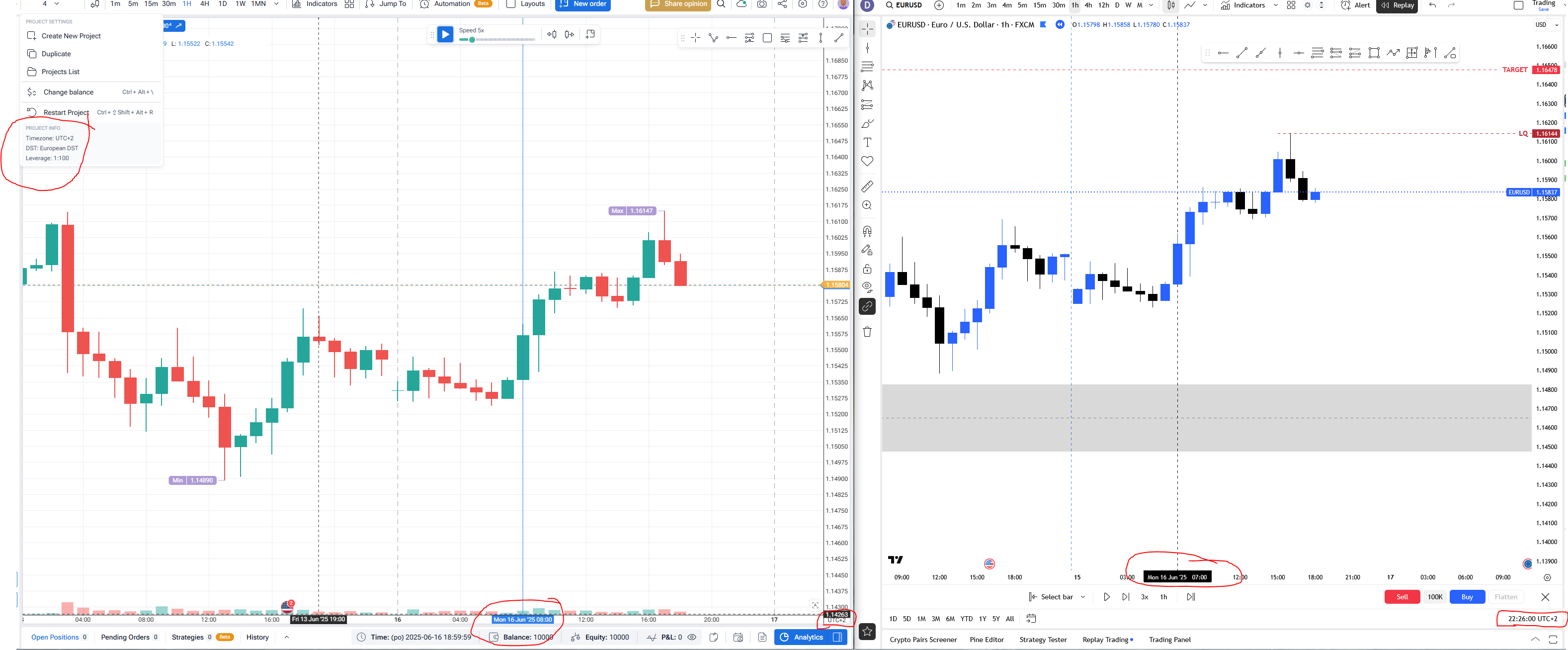
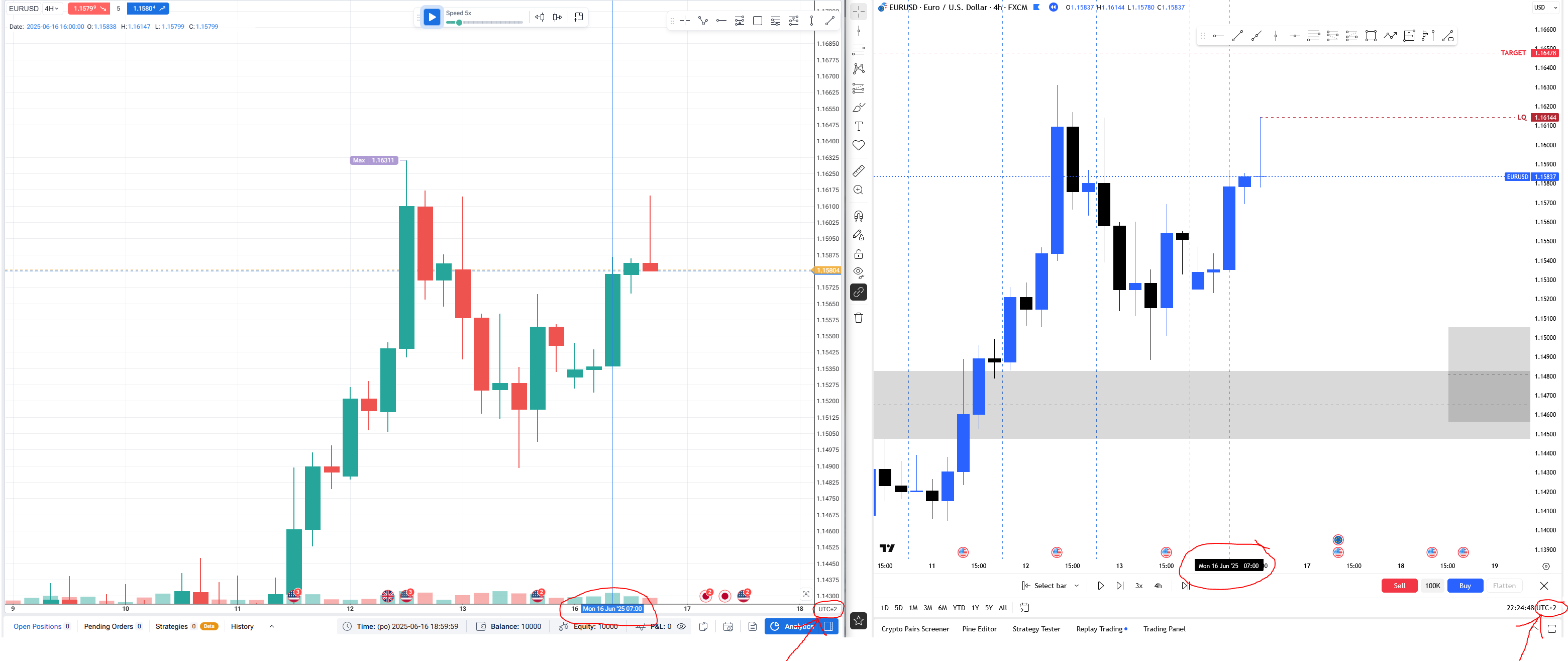
Hey FTO team, you have bug in candles and times. If you check my added screenshots you can see it. Both charts are in the same timezone, on both I market the same candle but in FT software on H1 chart time if 1 hour forward than in trading view. Both charts use UTC+2 and on FTO I use European DST. Please repair this bug, because it is annoying that after 7 months we finally get correct 4 hour candles but 1 hour chart has this bug… And also when I try to create new project with my language (Czech) and want to chose start date, it crash. So PLEASE REPAIR THIS BUG ASAP.. I started backtesting but than found out that something is wrong and your software is showing me some bugs so I had to throw away like 20 hours of backtesting because of this time bug… My strategy is based on correct times..
- How does this impact your experience?
Comments3
Serhii S.
Jun 23, 2025
Hi @User Thanks for reaching out and providing the screenshots. I understand this is frustrating, and I'm sorry to hear you lost your backtesting progress.
Regarding the time difference, if you have European DST enabled in FTO, the project's time zone becomes UTC+3. It looks like your TradingView chart is set to UTC+2 without DST, which would explain the one-hour difference you're seeing.
As for the crash when creating a project in Czech, we are aware of this bug and our team plans to fix it soon. In the meantime, you can work around this by switching the app language to English to create the project, and then switching it back to Czech afterward.
I hope this helps clarify things. Let me know if you have any other questions.
Dominik Pazderka
Jun 25, 2025
Okay, so there would be nice some manual to set this because I am totally confused how to set DST and UTC time, because when it is winter Czechia is UTC+1 but during summer it is UTC+2, but in both times when my country is aligned with USA and GB winter/summer times my sessions for London and NY are 9:00 am and 13:00 pm and forex market opens at 11:00 pm sunday (new daily candle) and because my strategy is based on correct time I need to be sure that times are correct. So how should my setting looks like to be correct with those informations?
Serhii S.
Jun 25, 2025
Hi @User ,
Thanks for your detailed message – and I totally understand how confusing all the DST and UTC settings can get, especially when timing is critical for your strategy.
Based on your description, your local timezone is UTC+1 with EU daylight saving time, which means:
UTC+1 in winter,
UTC+2 in summer,
To avoid any DST-related confusion, I’d recommend creating a new project in fixed UTC+2 without any daylight saving time (DST). This way, your timing will stay consistent throughout the year, and you'll always have the 1-hour and 4-hour candles starting at 07:00 on June 16, 2025.
I’ve also reached out to our developers to double-check that DST is currently being applied correctly on our side – and I’ll follow up with any updates.
Let me know if you need help creating the new project or have any other questions!