Charts will not advance (common issue)
This is a frustrating issue that arises fairly often where my charts will stop at a candle and will not advance further. If I go to a much higher timeframe (e.g., weekly), the chart will sometimes advance past the spot that froze for me on the lower time frame (e.g., H1 and H4), but charts should not freeze like this on any timeframe. I am currently on the GBPUSD H1 chart and am frozen. Please fix this issue for all charts/timeframes ASAP.
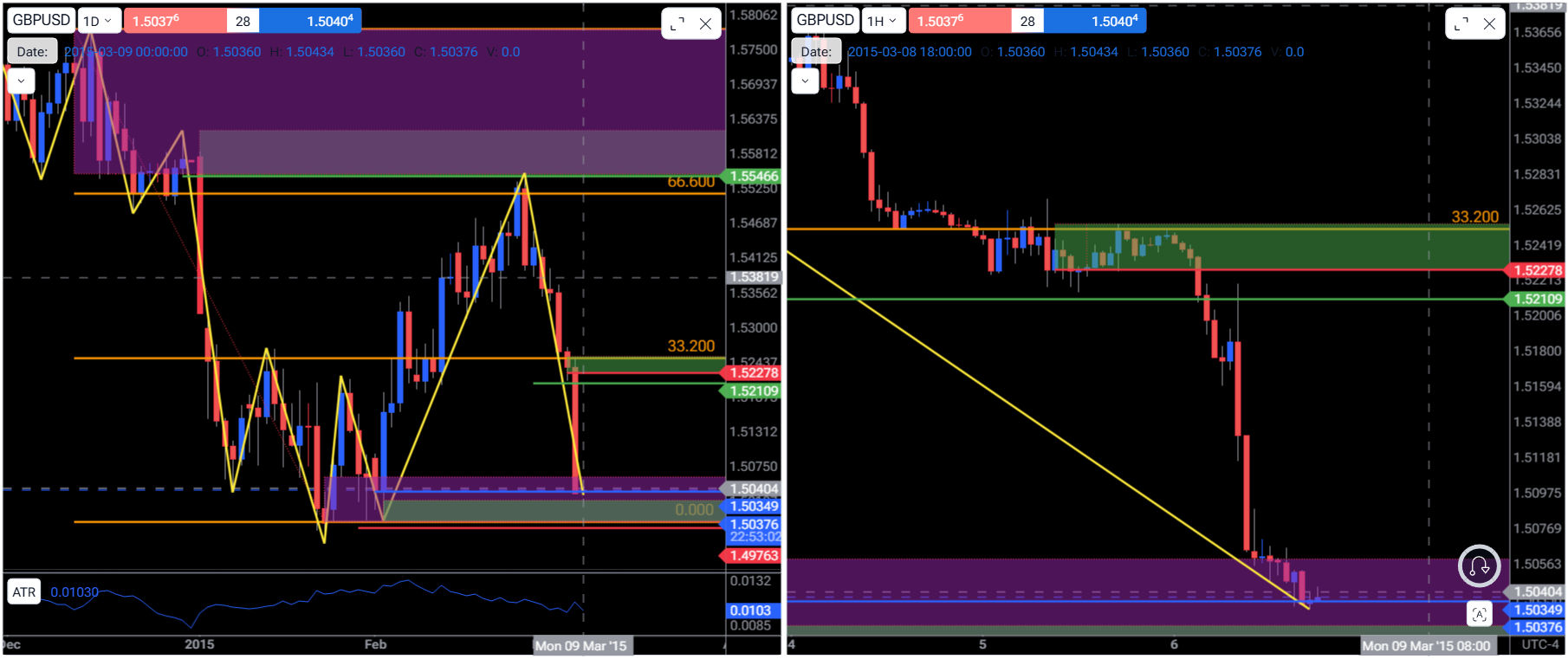
- How does this impact your experience?
Comments6
An Anonymous User
Mar 13
Hi Diana,
I thought I shared the project link in the ticket, but here it is:
https://app.forextester.com/chart?projectId=69a63b656e70763f24c551cc
I have only one currency pair in this project (GBPUSD), only two charts (D1 and H4), and only one indicator on one of the charts (D1). I do have a fair amount of drawing tools on the charts - but nothing excessive I don’t think.
Diana Zhoshko
Mar 14
Hi Dave,
Thank you for the link.
I've forwarded your issue to our development team for review.
Once I receive an update or solution, I'll be sure to follow up with you promptly.
Diana Zhoshko
Mar 13
Hi @Dave ,
Could you please send me a link to the project?
If the project feels slow or freezes, this is often caused by having a large number of drawing tools or objects on the chart, many currency pairs, and a large number of charts.
We recommend removing any tools that are no longer needed, as this can significantly improve chart performance and responsiveness.
Also, closing unused tabs and programs, and splitting your work into smaller projects if possible
Tradermoe
Mar 13
Mine freezes all of the time. I only use one currency pair and I don’t have a lot of objects/tools on the chart. It constantly freezes and is extremely annoying.
Tradermoe
Mar 13
I did delete some projects and I think that helped. I will continue testing and see how it goes.
Serhii S.
Mar 15
Hi @Tradermoe Thank you for the update.
If you notice it slowing down again, could you please press
F12(or Ctrl+Shift+J) on your keyboard to open the developer tools, go to the "Console" tab, and take a screenshot of any errors you see there?That would be very helpful for us to investigate further.
Let me know how it goes.