Charts freeze when advancing candles
Hello, I submitted an bug report on this issue before, but I wanted to submit a new one as the issue appears to be more widespread than I had originally thought. I am currently unable to test in Forex Tester with the strategy I am using because after advancing the candles, I inevitably reach a point where the charts lock up and I can not proceed (or go back). It appears to be an issue with the data - perhaps limited to a four-chart or multi-chart set-up, as the problem did not occur when I tested on a single-chart set up. Here is an example of the latest occurrence with 2020 data using GBPUSD (I have tested several years going back to 2006 and each inevitably locks up in the year I am testing and I cannot proceed; the same happened when I tested using EURUSD).
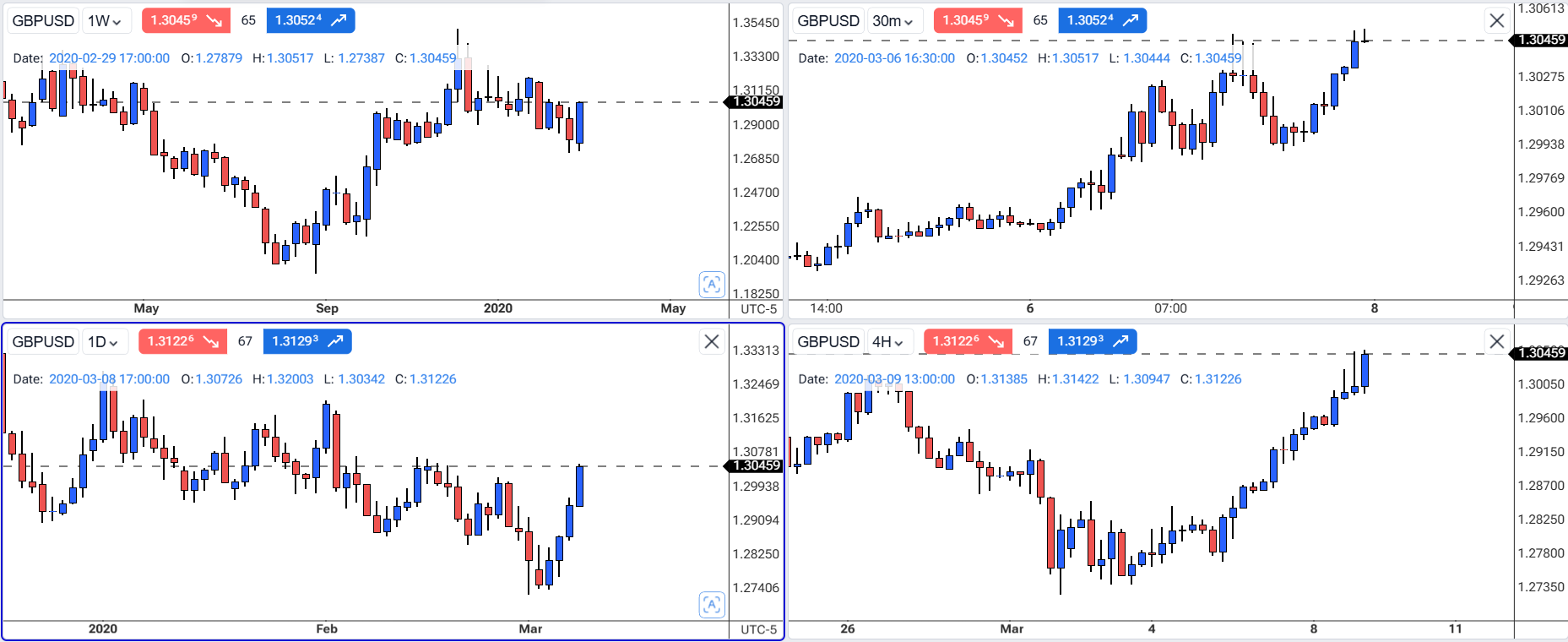
Here is the project link from which I took the above screenshot:
https://app.forextester.com/chart?projectId=68687be49e6386dcc5cda8b4
I hope this issue can be resolved quickly as I am unable to use Forex Texter to test my strategy until I can advance my charts more than a few months. Thank you for your attention to this matter.
Best Regards,
Dave Stalker
- How does this impact your experience?
Comments7
An Anonymous User
Jul 6, 2025
Hi Diana,
Thanks for your reply. The issue continues even when I have no indicators and news on (see the screenshot I provided when I raised the bug report). I have also cleared my browser cache to no avail. Lastly, I have not been using the playback feature/speed; instead, I advance each bar manually one at a time using the candle/arrow buttons on the floating playback tab. Having said that, I reduced the playback speed setting to 1x (real time) and, after advancing the bars manually again, the issue still continues.
Regards,
Dave Stalker
Serhii S.
Jul 6, 2025
Hi Dave,
Thank you again for the detailed explanation.
To help us investigate this issue more thoroughly, could you please do the following next time the chart freeze occurs:
Open the browser's developer tools (usually by pressing
F12or Ctrl + Shift +I, then go to the Console tab).Take a screenshot of the Console tab at the moment when the chart becomes unresponsive.
Also, let us know the exact date or date range on the chart where the issue happens.
This will help us identify any hidden errors in the background and move forward with troubleshooting.
Dave
Jul 11, 2025
Hi Serhii,
I’m sorry - I missed your reply before. I followed your instructions and have provided the requested screenshot. For GBPUSD, the chart always locks up, when advancing the 4-hour chart (though it locks up no matter which chart I am advancing), on April 1st at 1 PM. I have tried multiple pairs and multiple years and inevitably, I get to a point, when manually advancing the candles, that the chart locks up and I cannot advance. I then close the project, relaunch it, and it start me where I had been when I previously opened the project, and then after manually advancing the candles, it locks up at the same point as before. I never had this problem until after the last app update, but I’m not sure if it is related.
My backtesting has come to a halt as a result of this issue; I hope it can be fixed very soon. Let me know if any additional details are needed. Thanks.
Serhii S.
Jul 11, 2025
Hi @User Thanks for the very detailed description of the issue and for providing the screenshot. That's super helpful.
I'm sorry to hear this is blocking your backtesting. While our team investigates this, could you please try creating a new project in UTC time zone mode to see if that resolves the issue for now?
Here's a screenshot showing where to find that setting:
An Anonymous User
Jul 12, 2025
Hi Serhii,
To my knowledge, I have always and only used the UTC time zone; I don’t know of a way to change it off of UTC. Are you seeing that my project I shared for this bug report was not created in UTC time zone mode?
Regards,
Dave Stalker
Serhii S.
Jul 14, 2025
Hi Dave! Thanks for following up. By default, new projects are created in the New York (auto) mode.
Could you try creating a new project and explicitly setting the UTC mode? This might resolve the issue you're seeing. Let me know if that works.
Diana Zhoshko
Jul 5, 2025
Hi @User ,
To reduce lag, please clean the browser cache, reduce the replay speed, and the number of indicators on the chart, and then try again
In addition, please try disabling the News. This may help reduce lag and allow smoother backtesting with multiple timeframes: