How to connect Claude
Last updated 5 days ago
1. Enable MCP in Forex Tester Online
Sign in to FTO and open Profile > Account Settings.
Under AI agents, turn on Enable MCP access.
Wait for Connected, then select Copy URL.
Ready means your FTO tab is ready to connect. The test in step 3 checks that your assistant can reach it.
2. Add FTO to Claude
Use the URL you copied from FTO. If your client asks for the connection settings, use the following values.
Open the Custom connector page on Claude or go to Customize > Connectors > Add
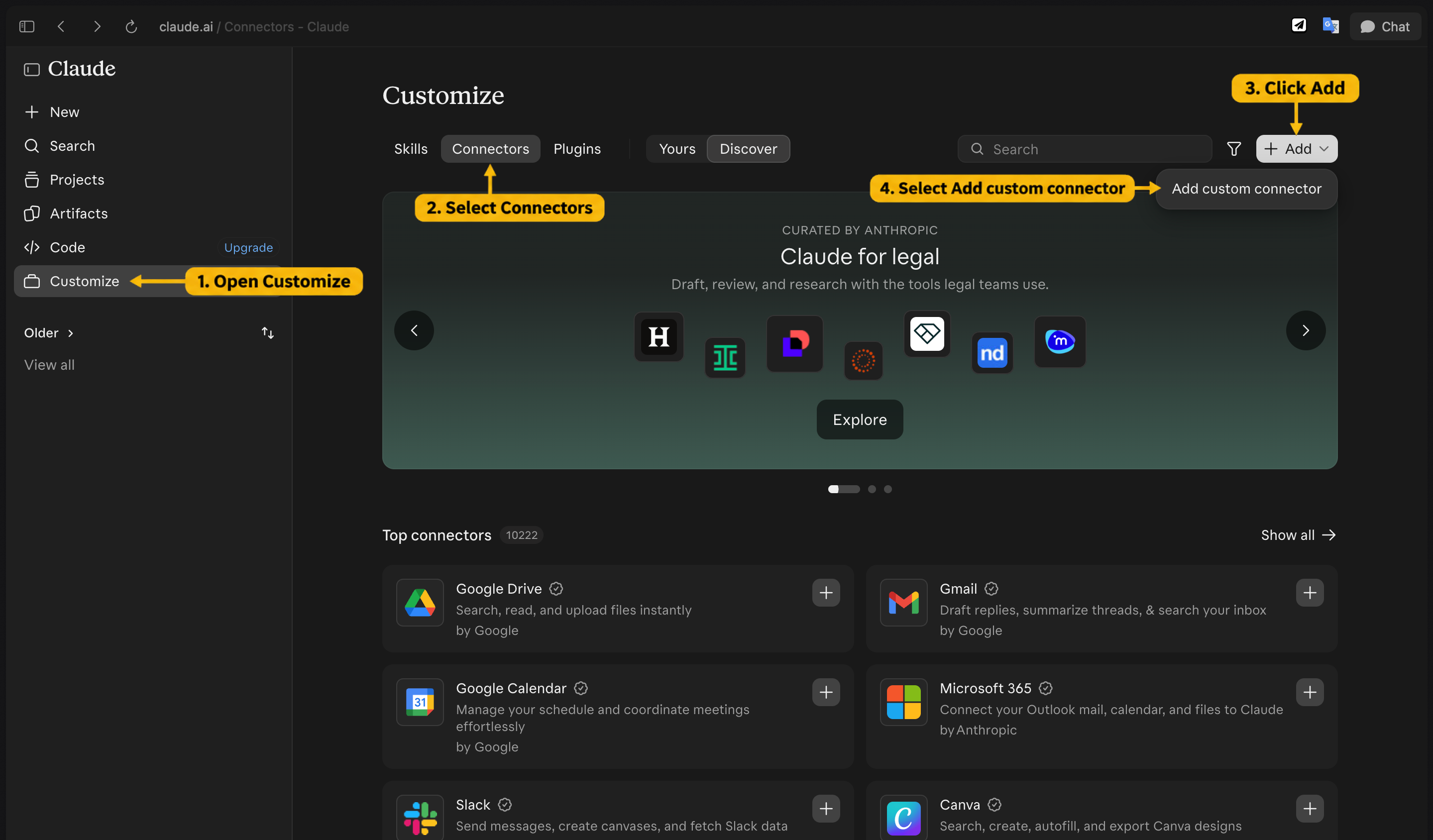
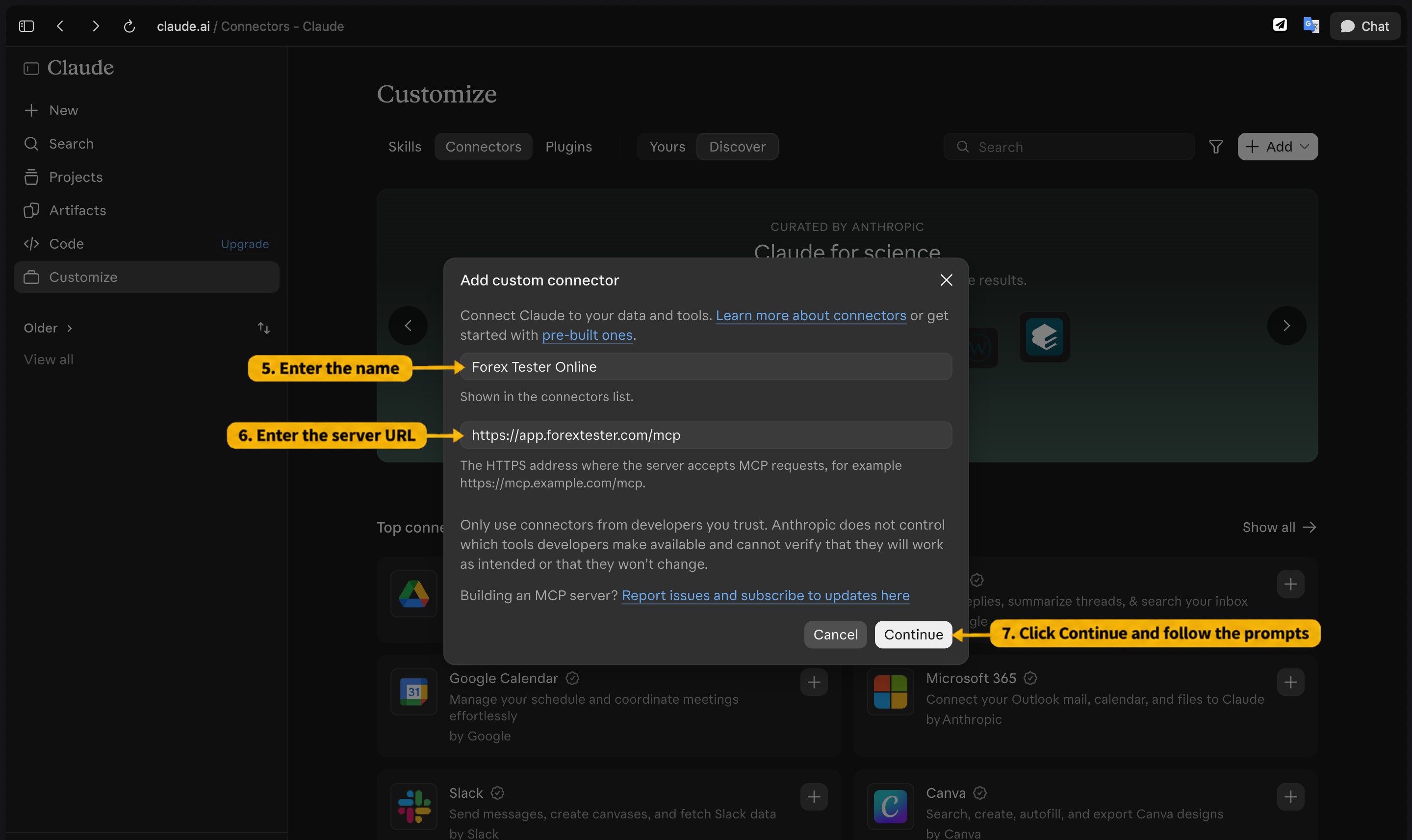
Enter the name and server URL.
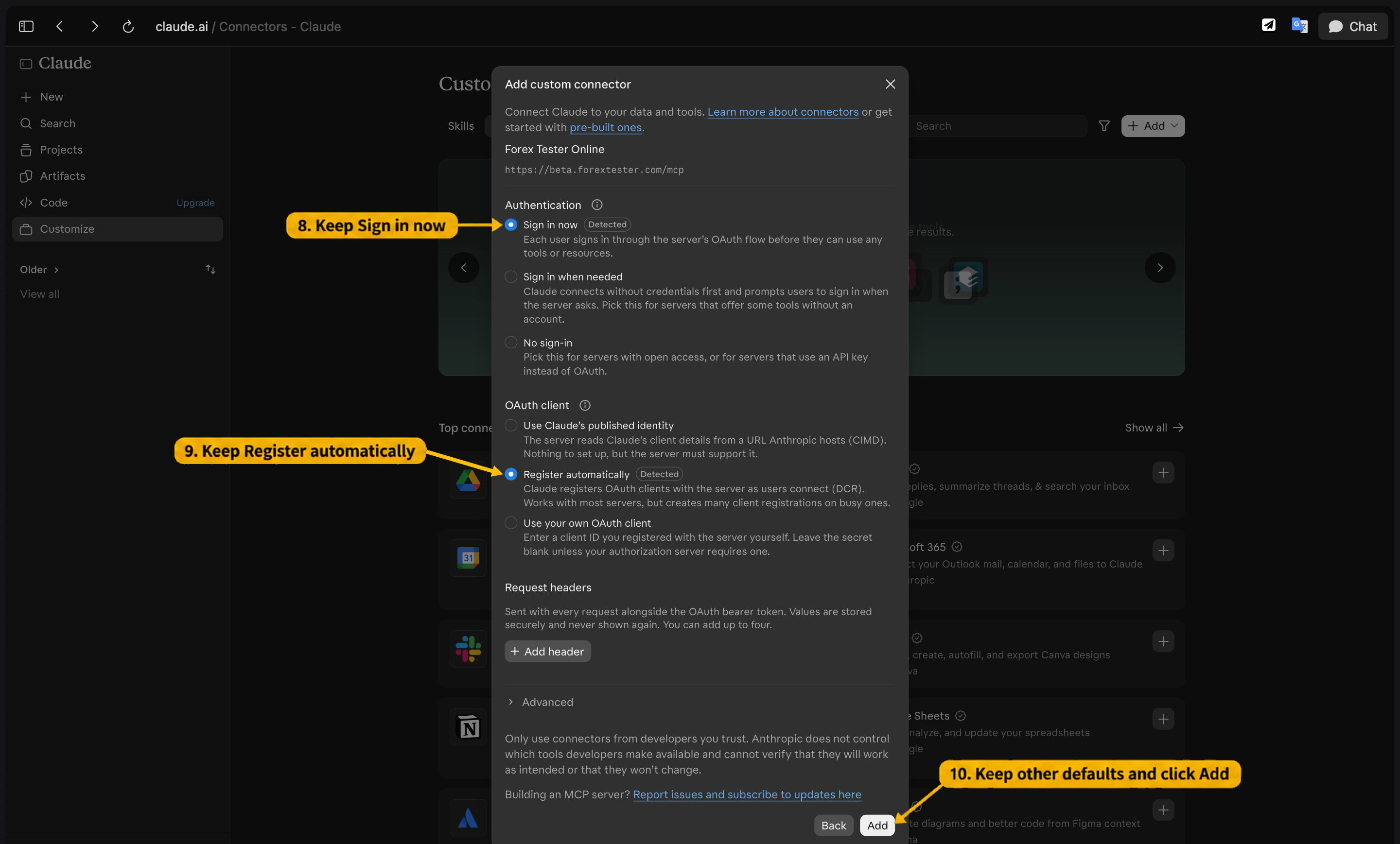
On the next screen, leave the default settings as they are: Sign in now under Authentication and Register automatically under OAuth. Leave everything else as default as well and click Add.
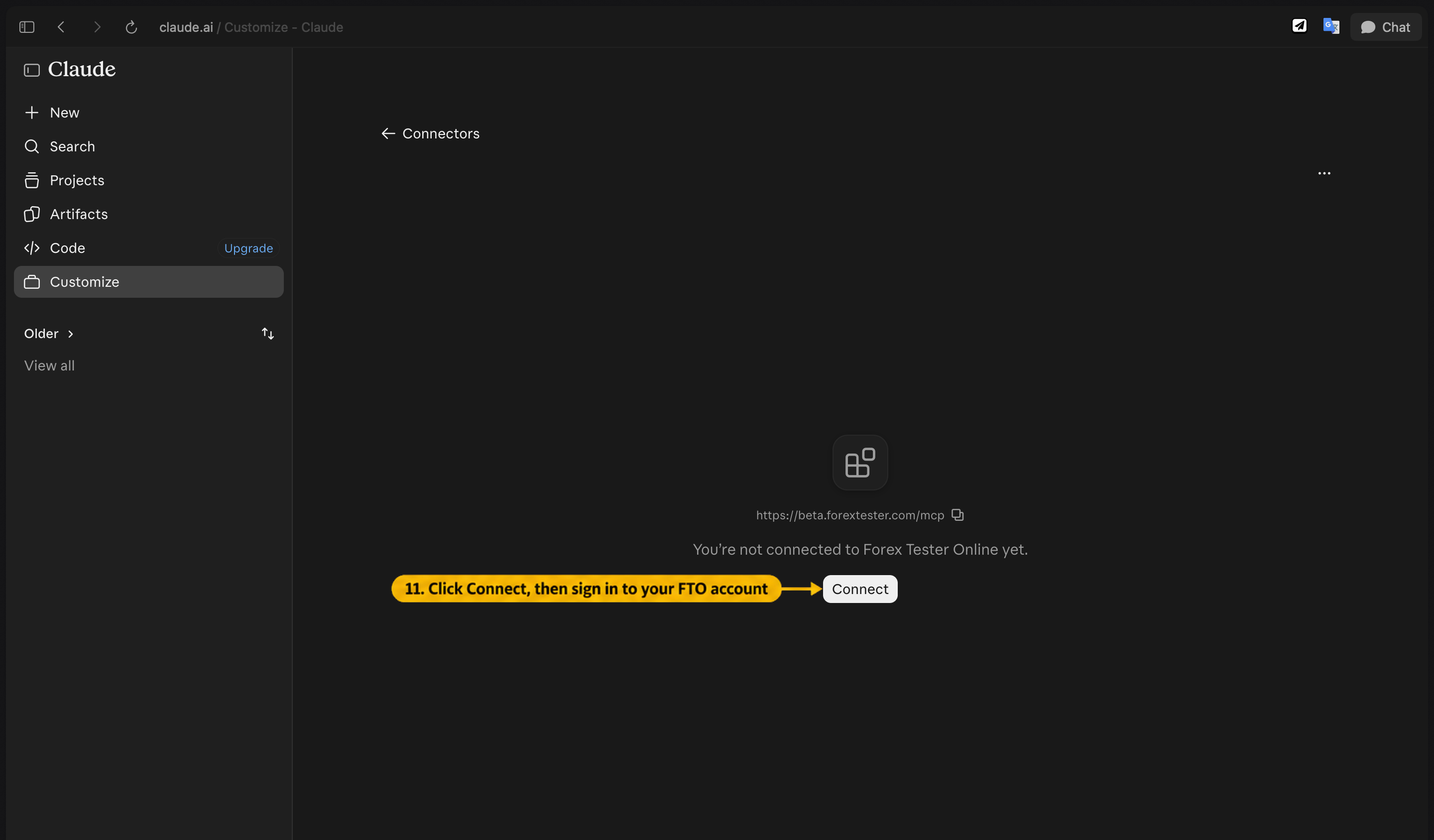
Press Connect and then Sign in with your FTO account.
Was this helpful?
Still need help? Share an idea